AI Image Generator for Educators
The project
An AI image generator built for K-12 and higher-education teachers — creating classroom-ready visuals by anticipating educator needs, so they can spend less time prompting and more time teaching.
My role
Product designer on a cross-functional team, translating PM research into UX flows, interaction design, and final UI.
Project duration
5 weeks
Tools
Figma
Notion
Why this matters
Teachers are losing time to the very tools designed to save it.
Most educators aren't AI prompt experts, and generic image generators weren't build with them in mind, causing teachers to spend more time correcting outputs than creating lesson materials. Research surfaced a compounding problem: the more teachers try to refine a prompt, the further they get from their original goal.
What educators need
Speed without sacrifice: Teachers need to produce usable, age-appropriate visuals quickly without compromising on content safety or relevance to their curriculum.
A tool that meets them halfway: Rather than expecting teachers to learn prompt engineering, the tool needed to anticipate their intent and guide them toward a good result.
The solution
An anticipatory image generator that turns Subject, Grade, and Learning Topic into smart suggestions so teachers get the right image in fewer prompts.
Research & Strategy
Stakeholder interviews & literature review
"I’m actually using more time refining the prompt than I am if I just did it off the top of my head. It’s a false economy, isn’t it"
– Legal studies educator (AU)
Competitive analysis
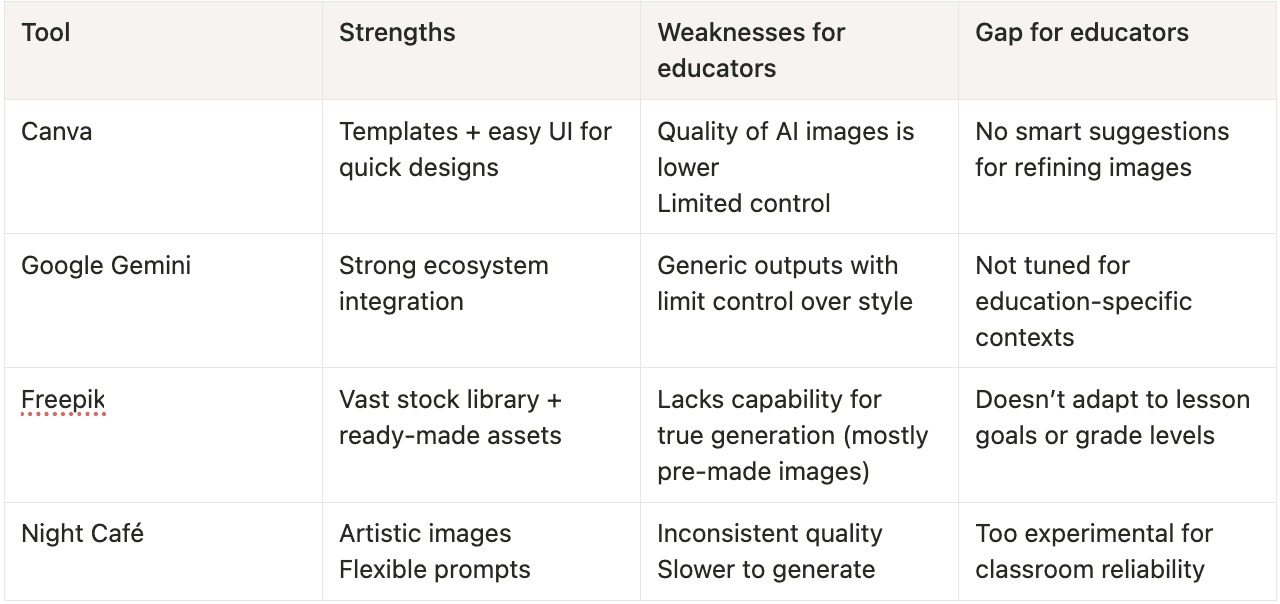
I analyzed four AI image tools educators commonly reach for, evaluating each for prompt guidance, output quality, style control, and classroom sustainability.
Each tool had something to offer, but none of them were built to anticipate what an educator actually needed next. That gap became the foundation for the design.
Emerging themes
Lower the floor for non-technical users: Teachers shouldn't need prompt expertise to get a usable image. The tool needs to meet them at their actual skill level.
Reduce time lost to trial and error: Every existing tool put the burden of refinement entirely on the user. The goal was to make the tool do more work so teachers could spend more time engaging with students.
Make classroom-readiness the default: Rather than generating generic images that teachers had to evaluate for appropriateness, the tool should treat grade level, subject, and content safety as foundational inputs.
Design & Exploration
Iteration 1: Simplifying the Input Flow
Problem
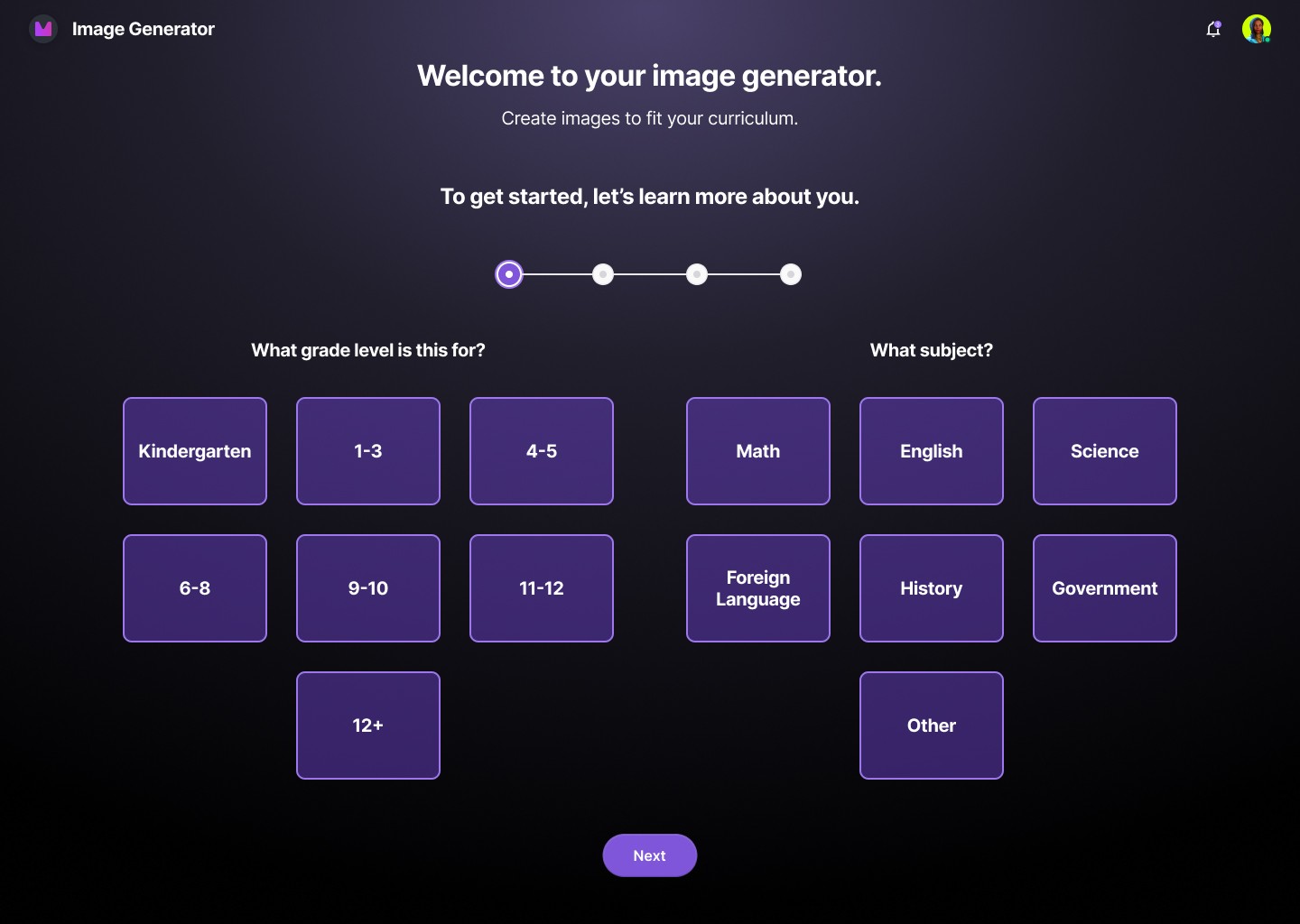
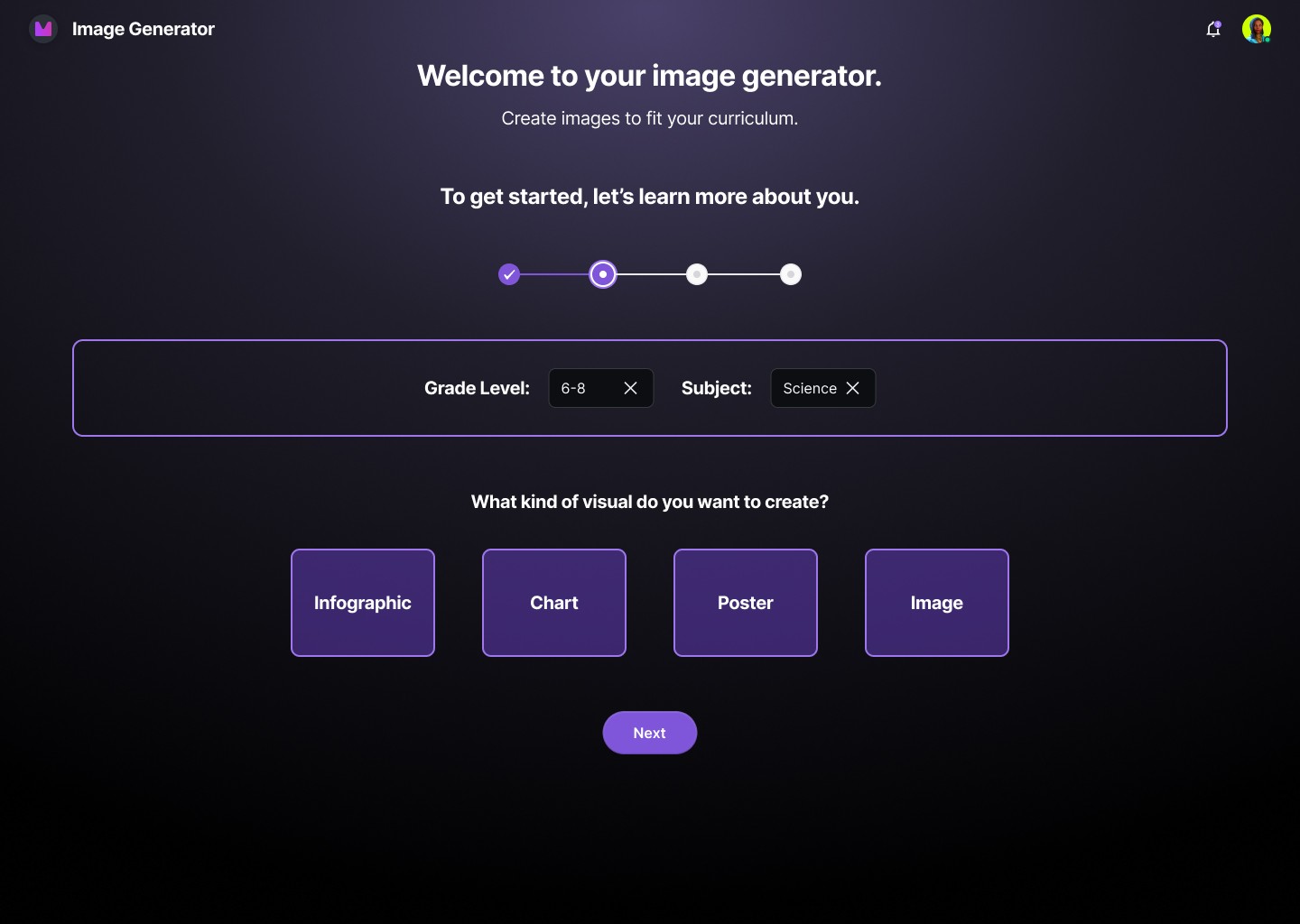
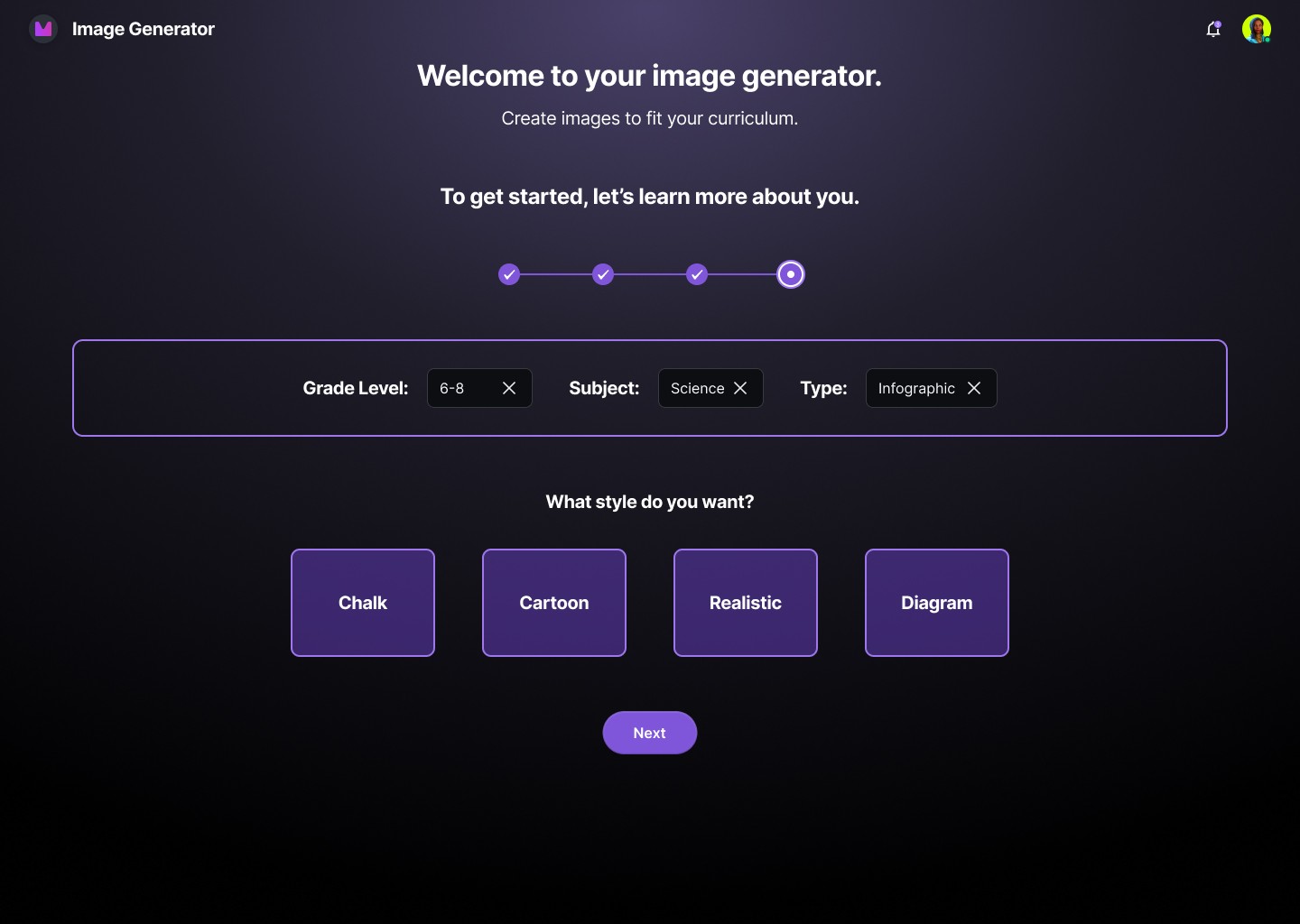
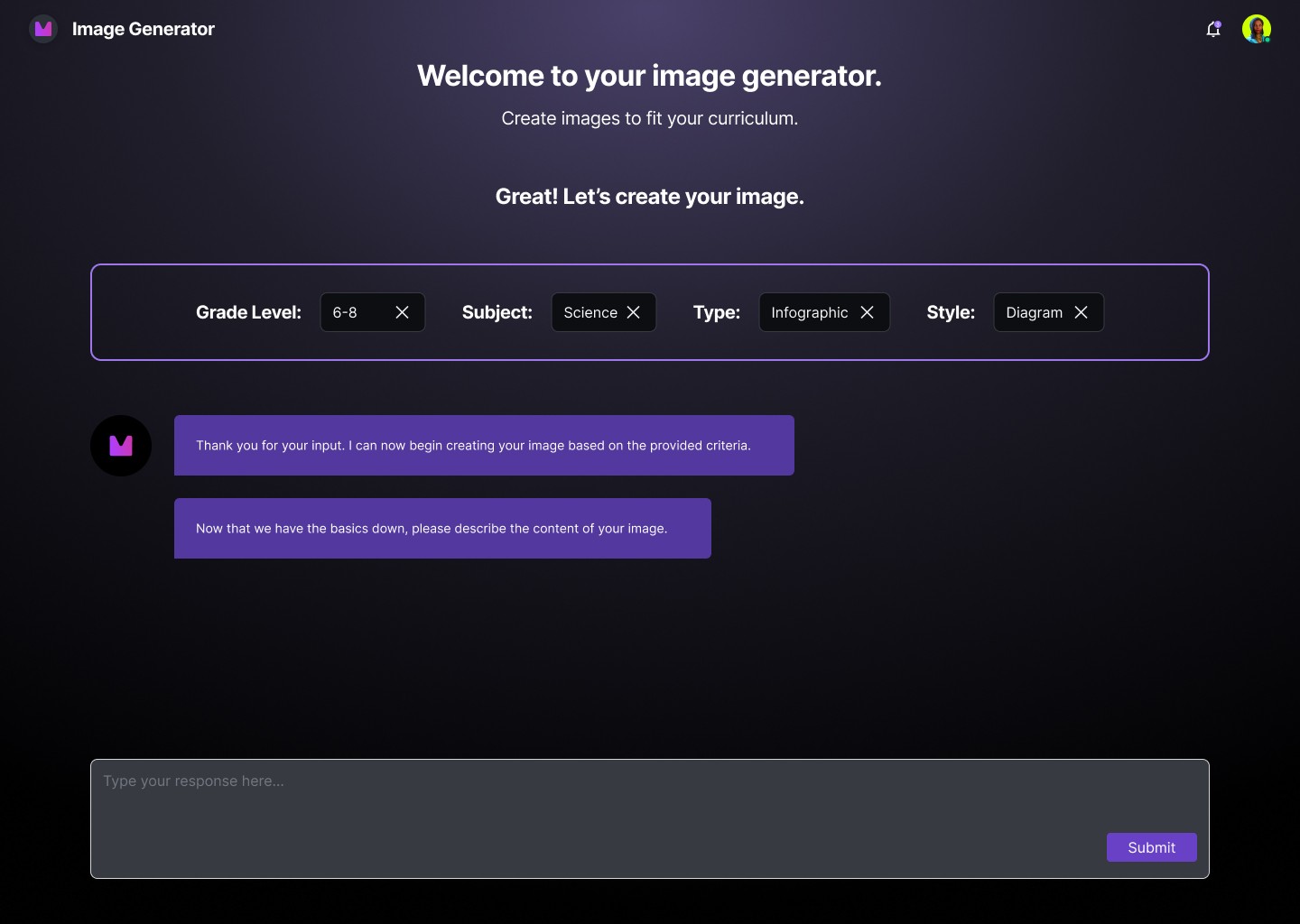
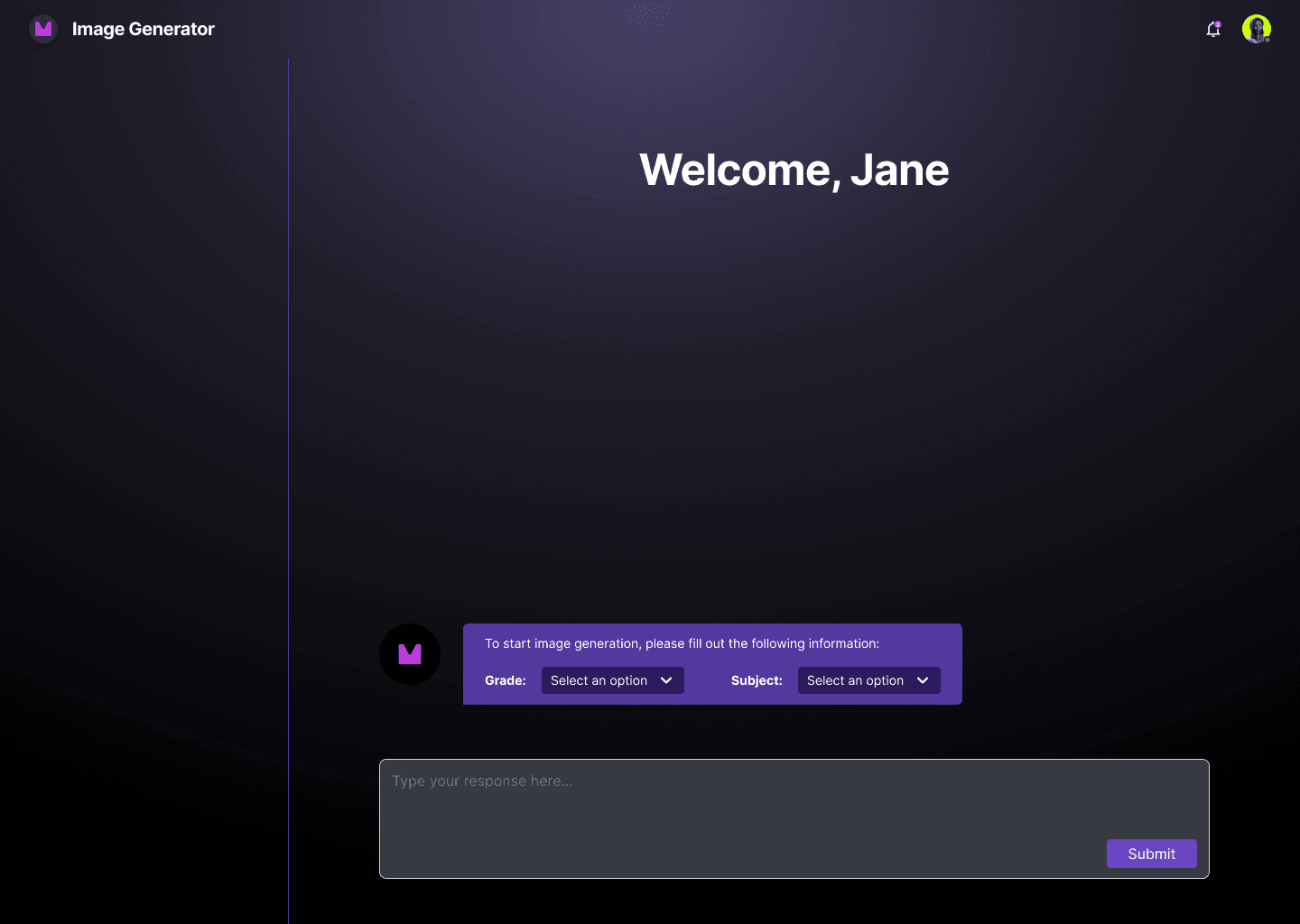
Competitive analysis revealed that every existing tool dropped educators into a blank text field with no context or guidance. The assumption was that users already knew what they wanted and how to describe it, but that's not always true for non-technical users.
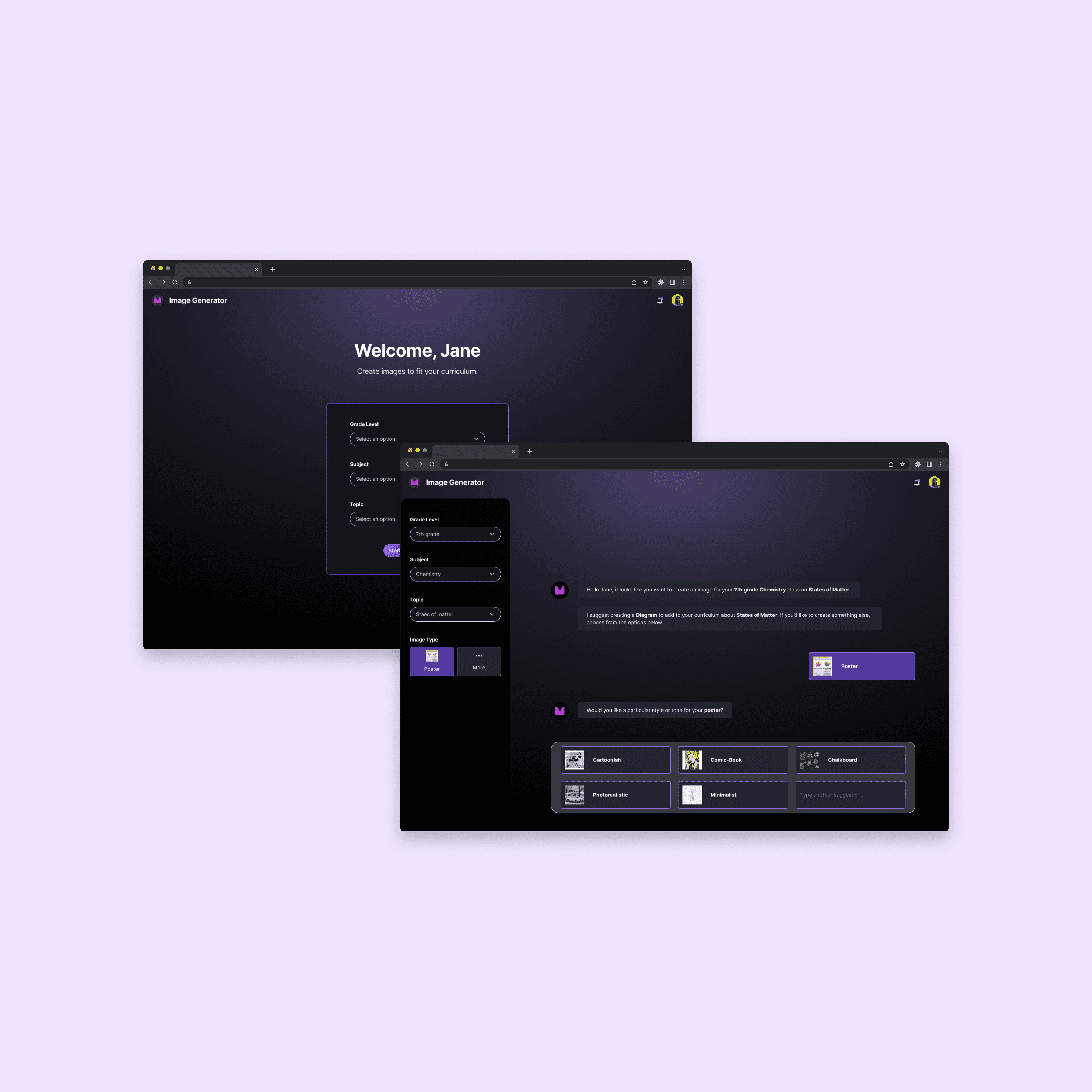
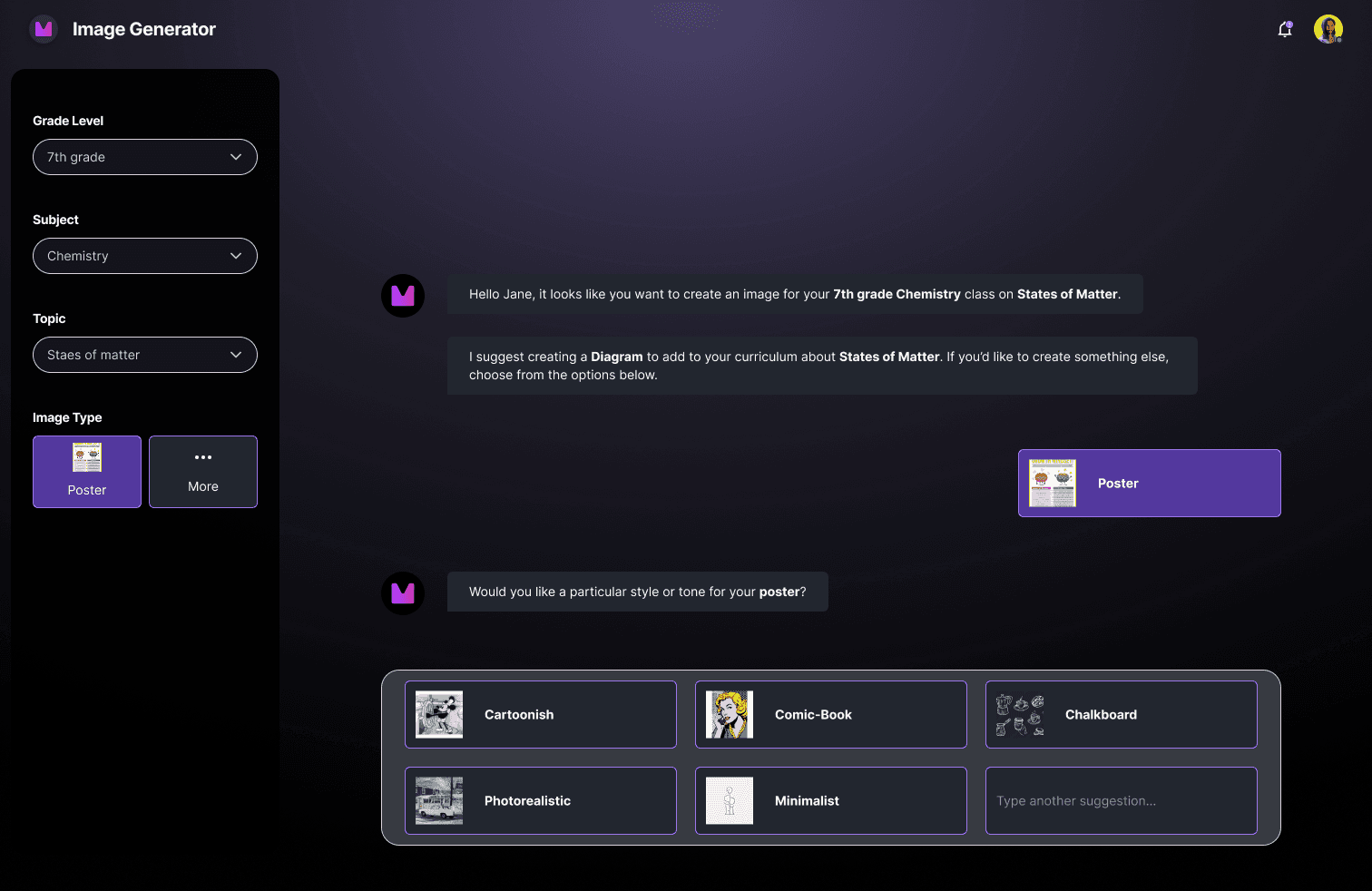
I drafted a structured onboarding flow using card-based selections to make the inputs feel approachable rather than technical. The goal was to get teachers to a contextualized starting point without typing a single word.
What I learned
Iteration 2: Adding Anticipatory Suggestions
Problem
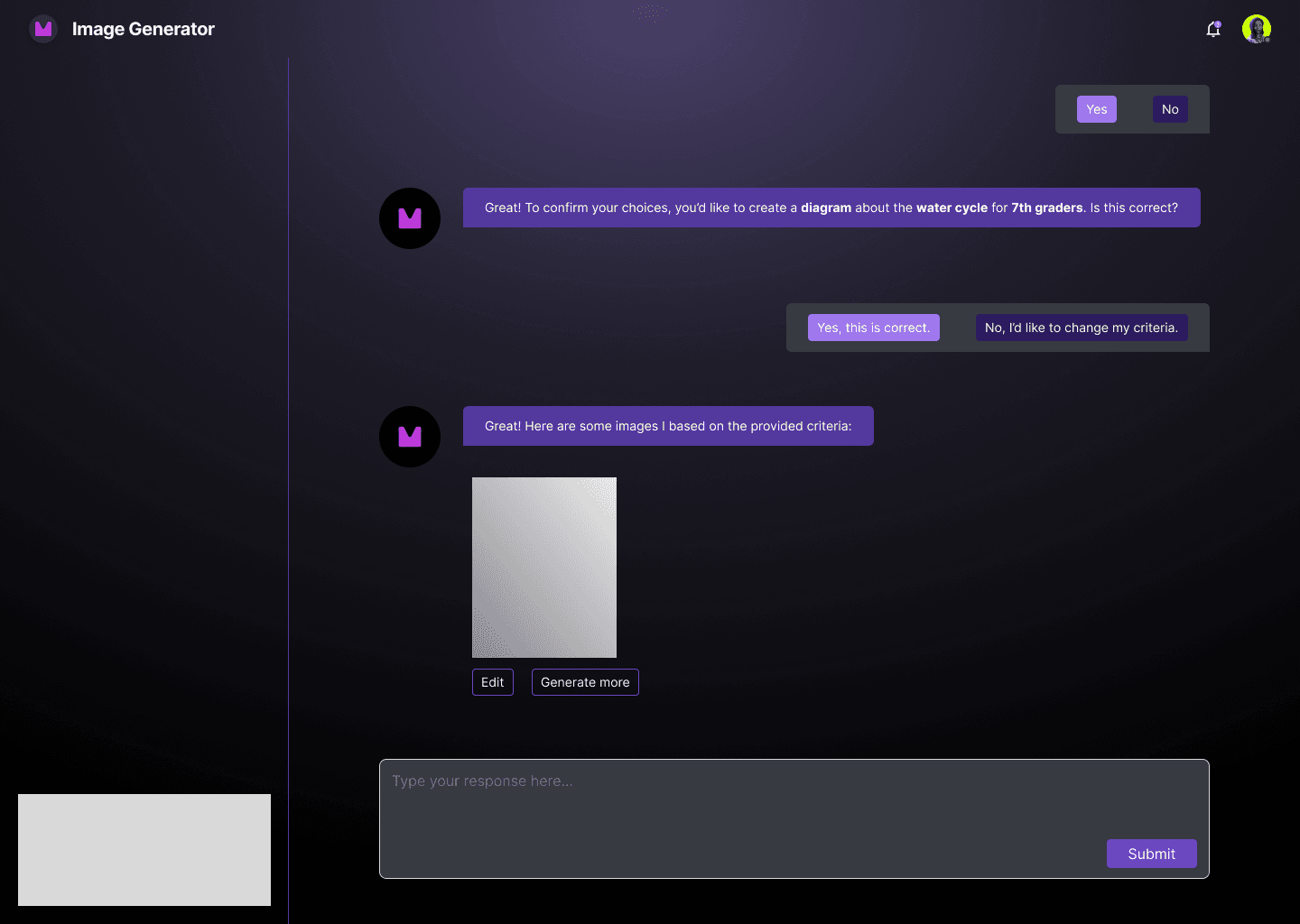
If teachers received a result they weren't happy with, the path forward was unclear. Without guidance, most would either retype their original prompt with minor variations or abandon the session entirely.
Hypothesis
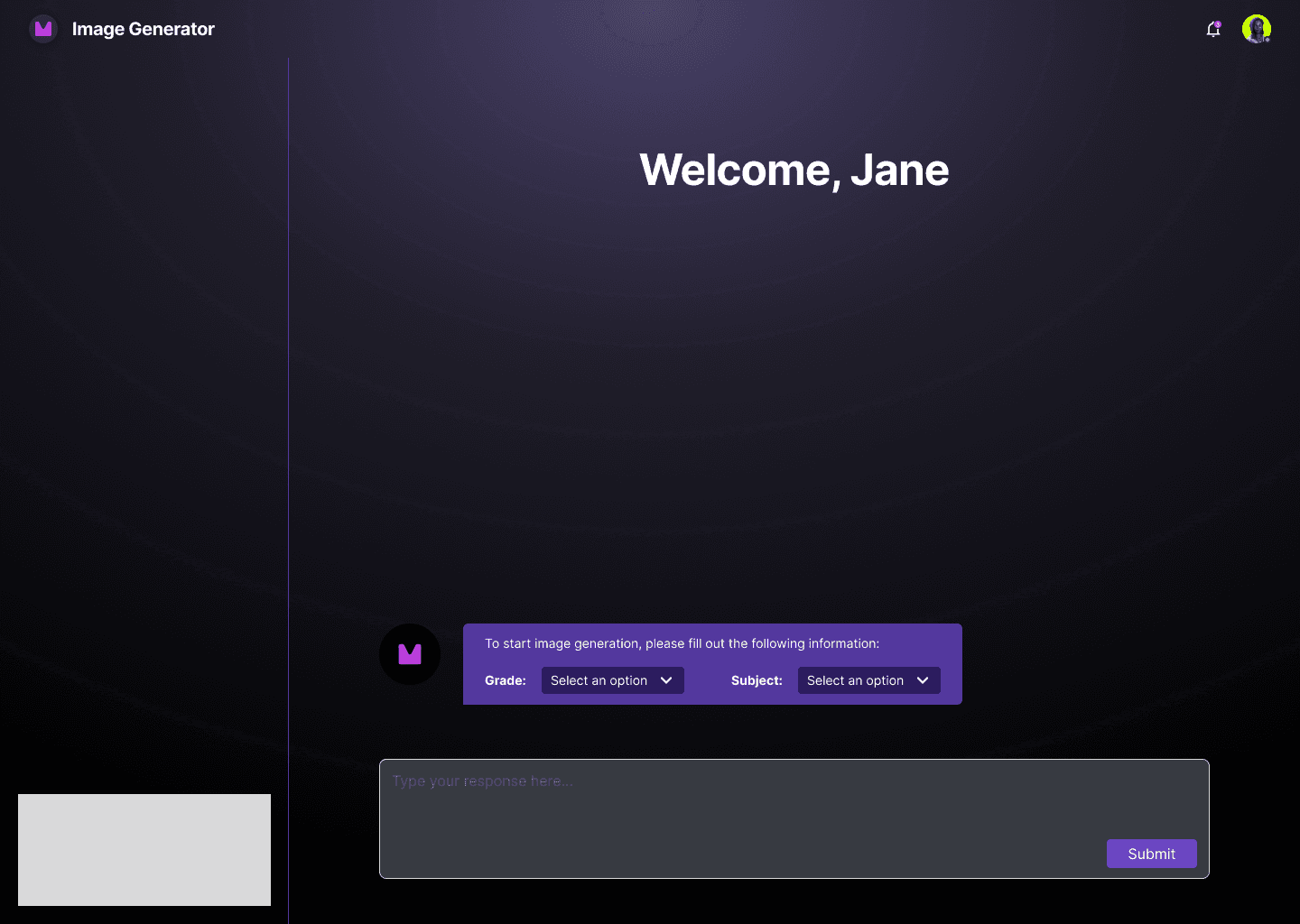
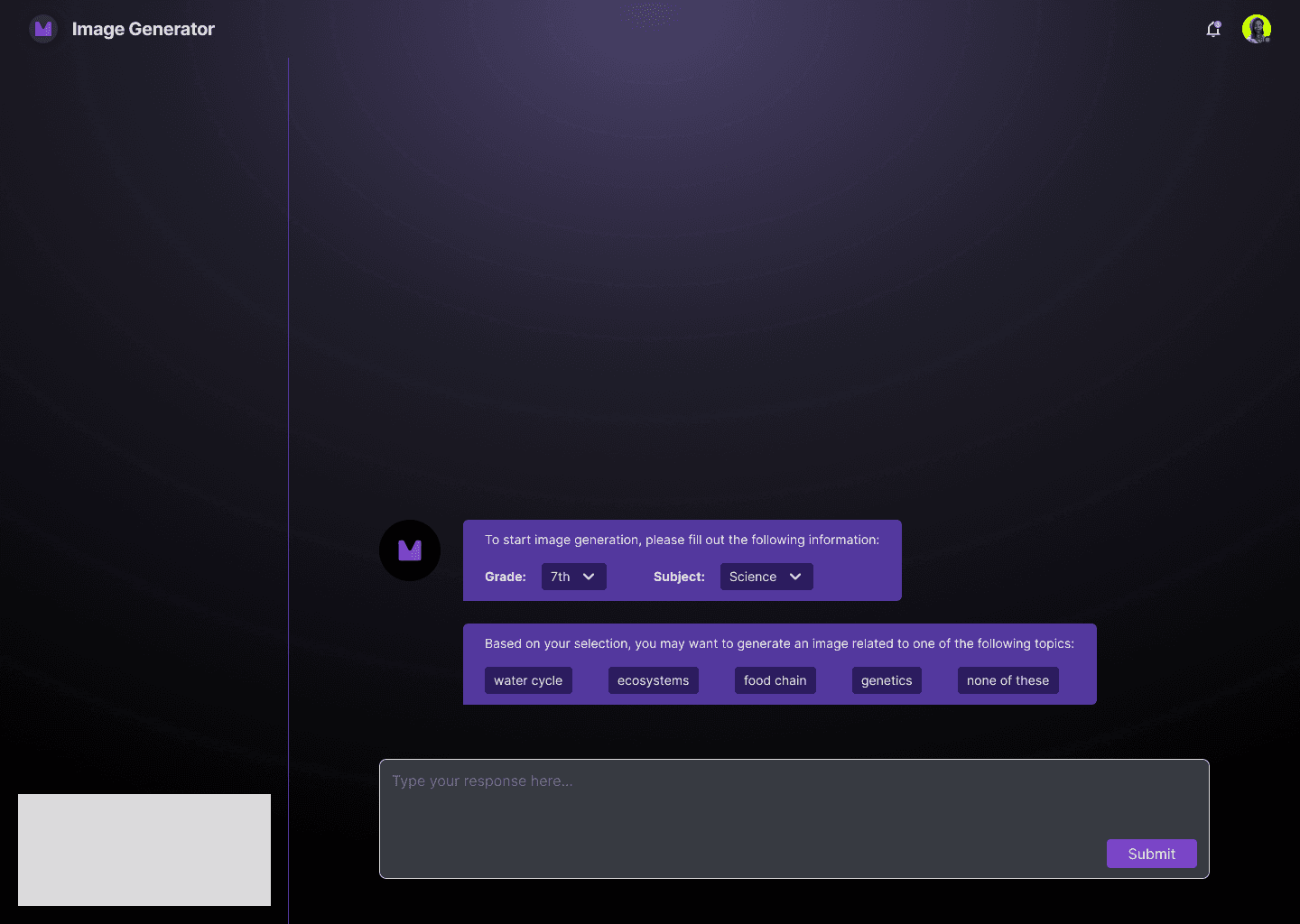
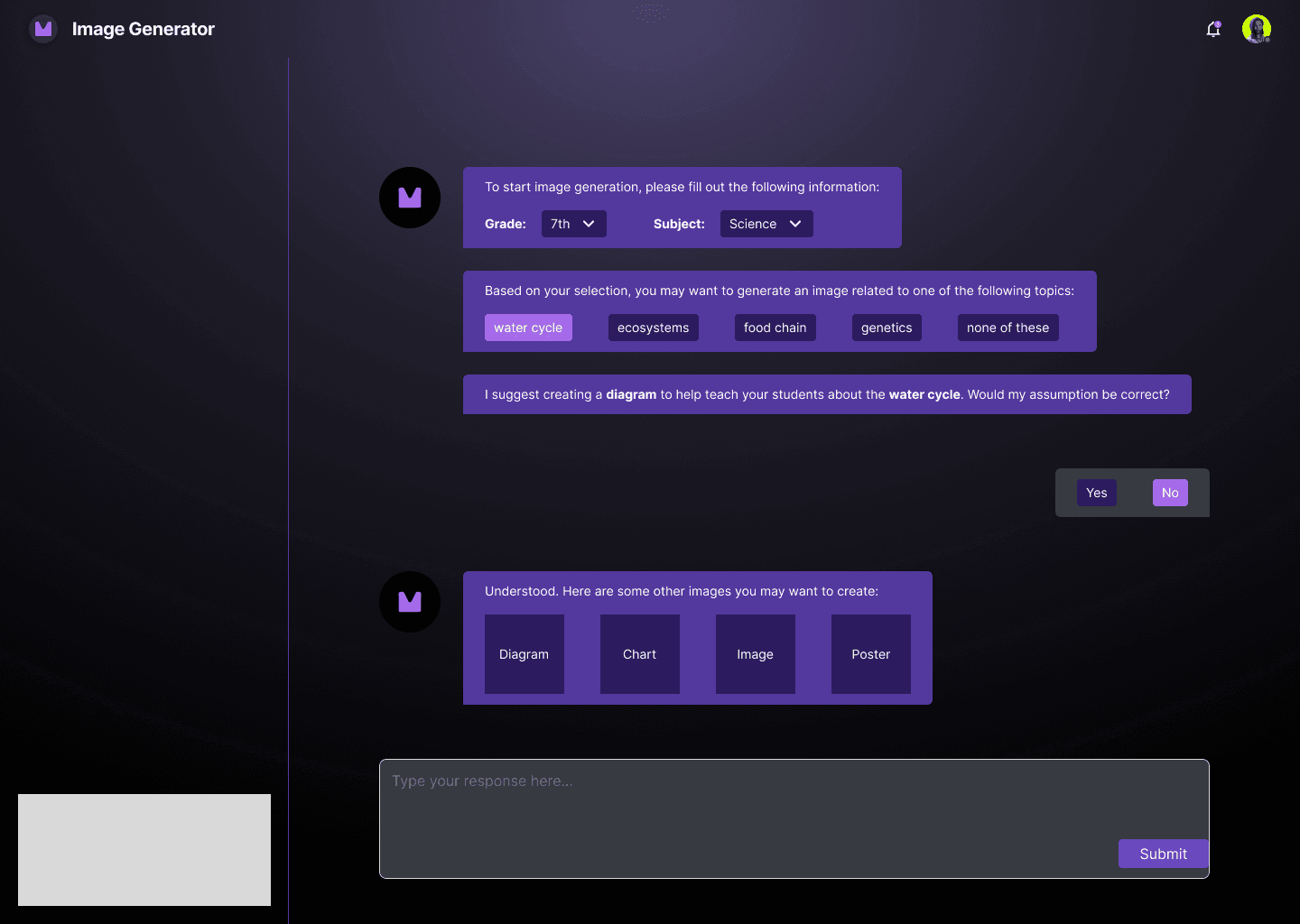
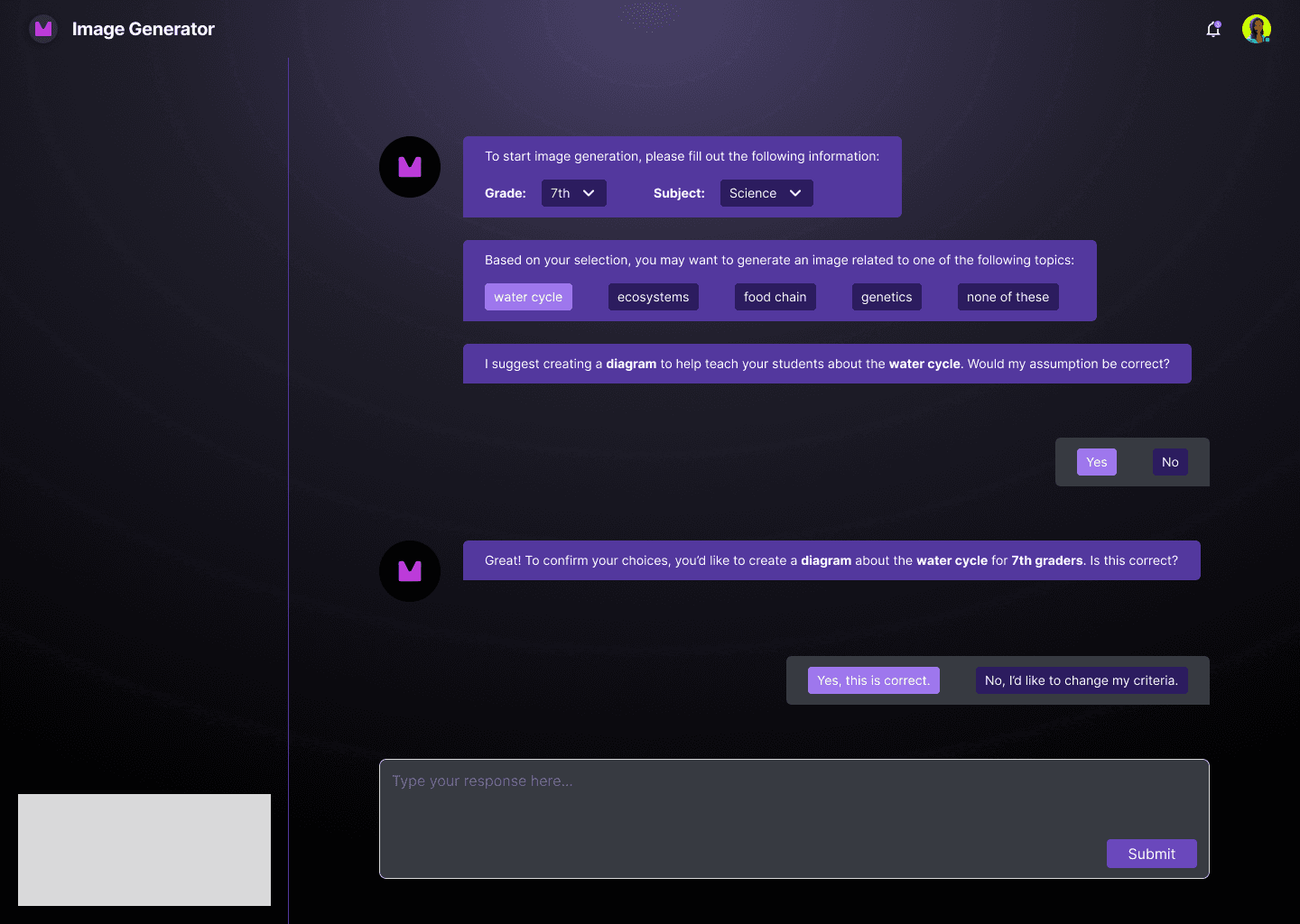
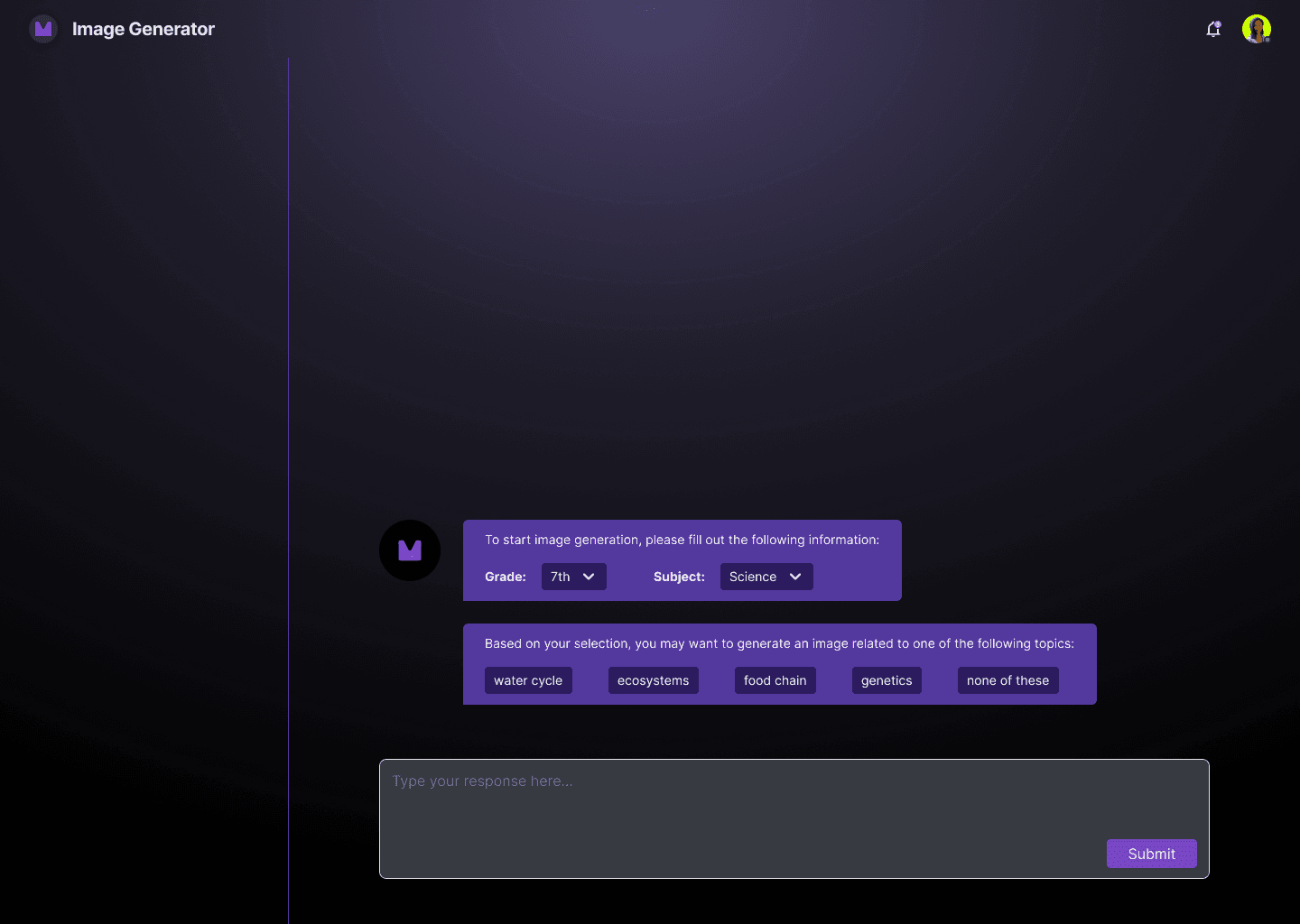
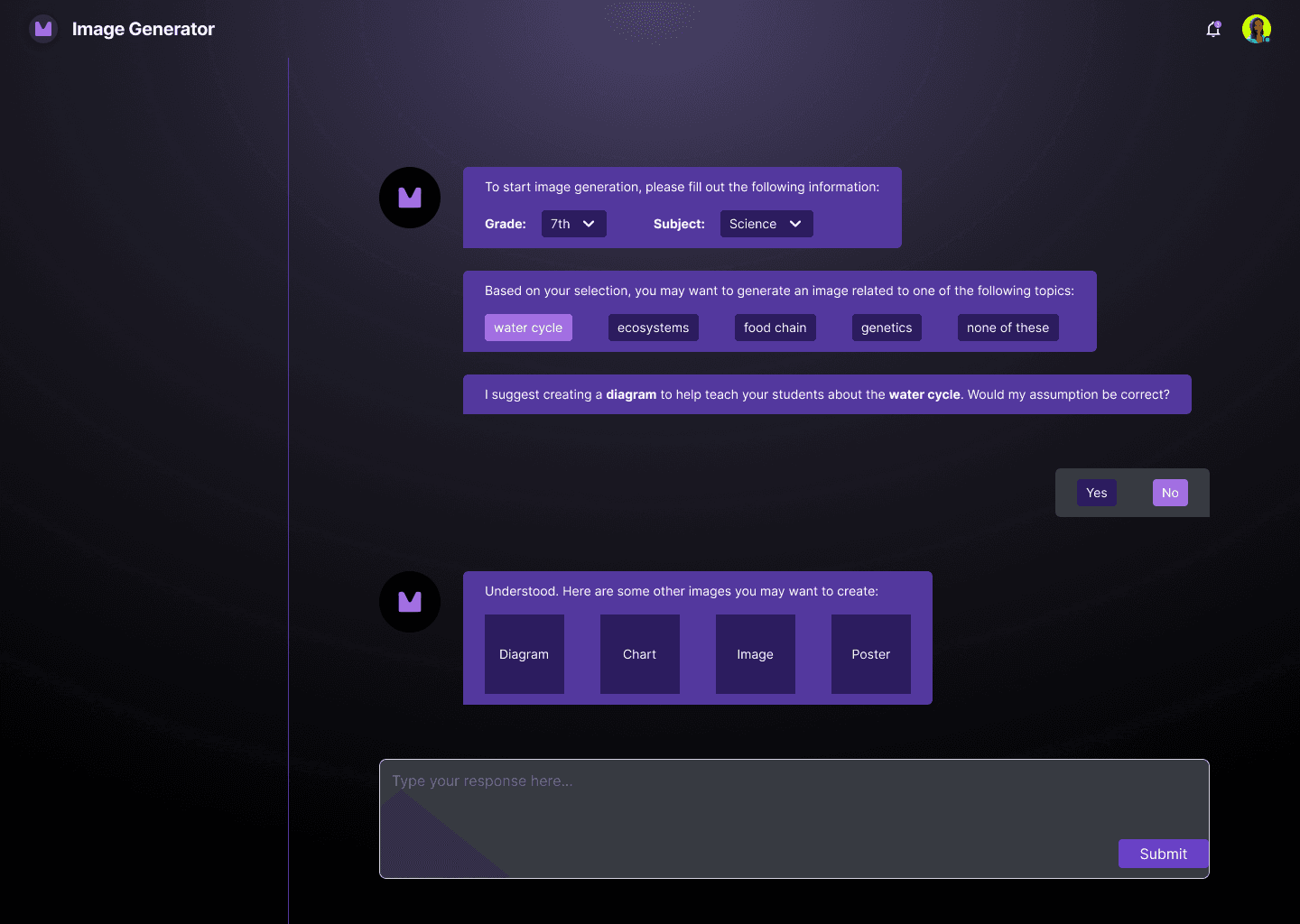
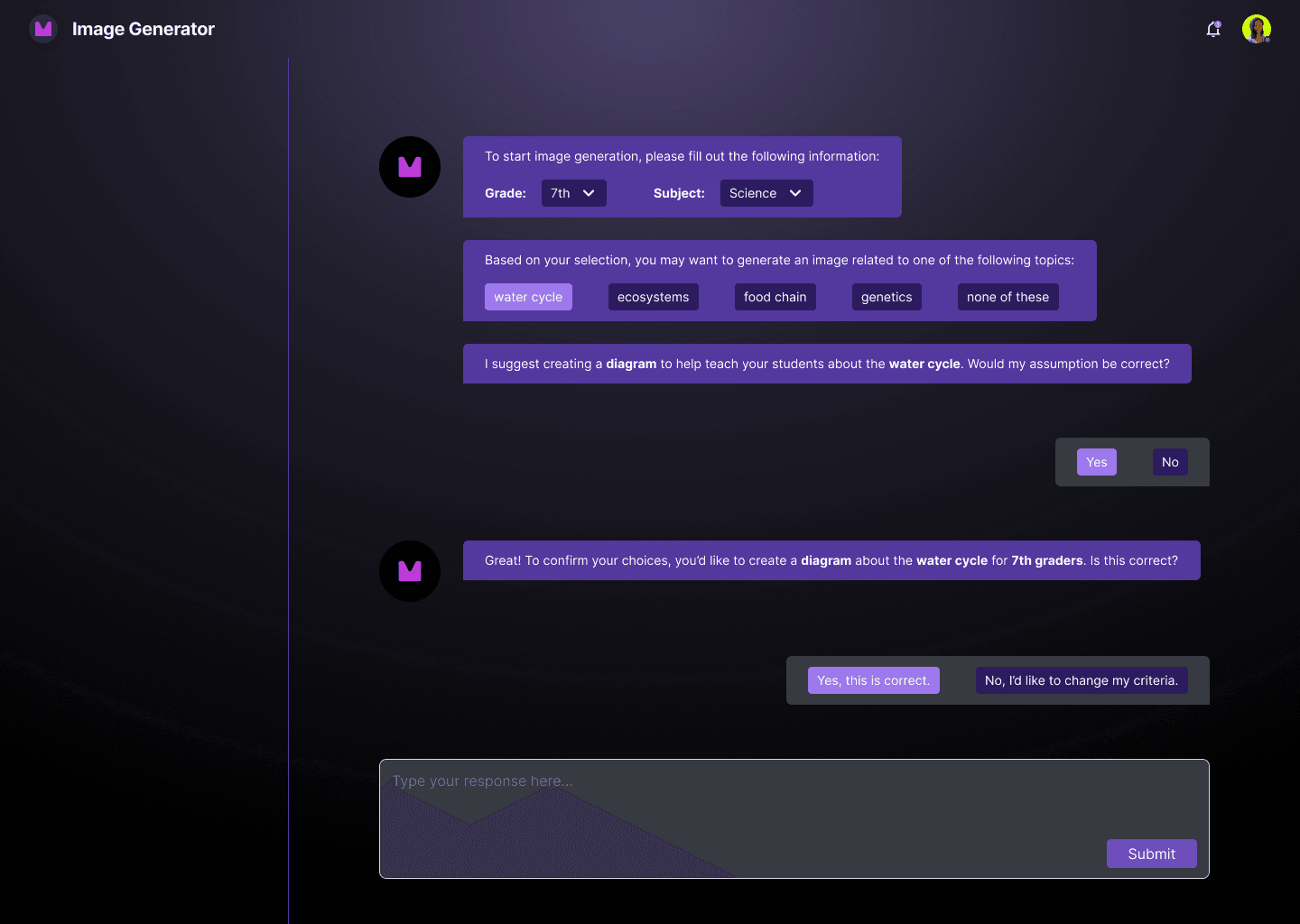
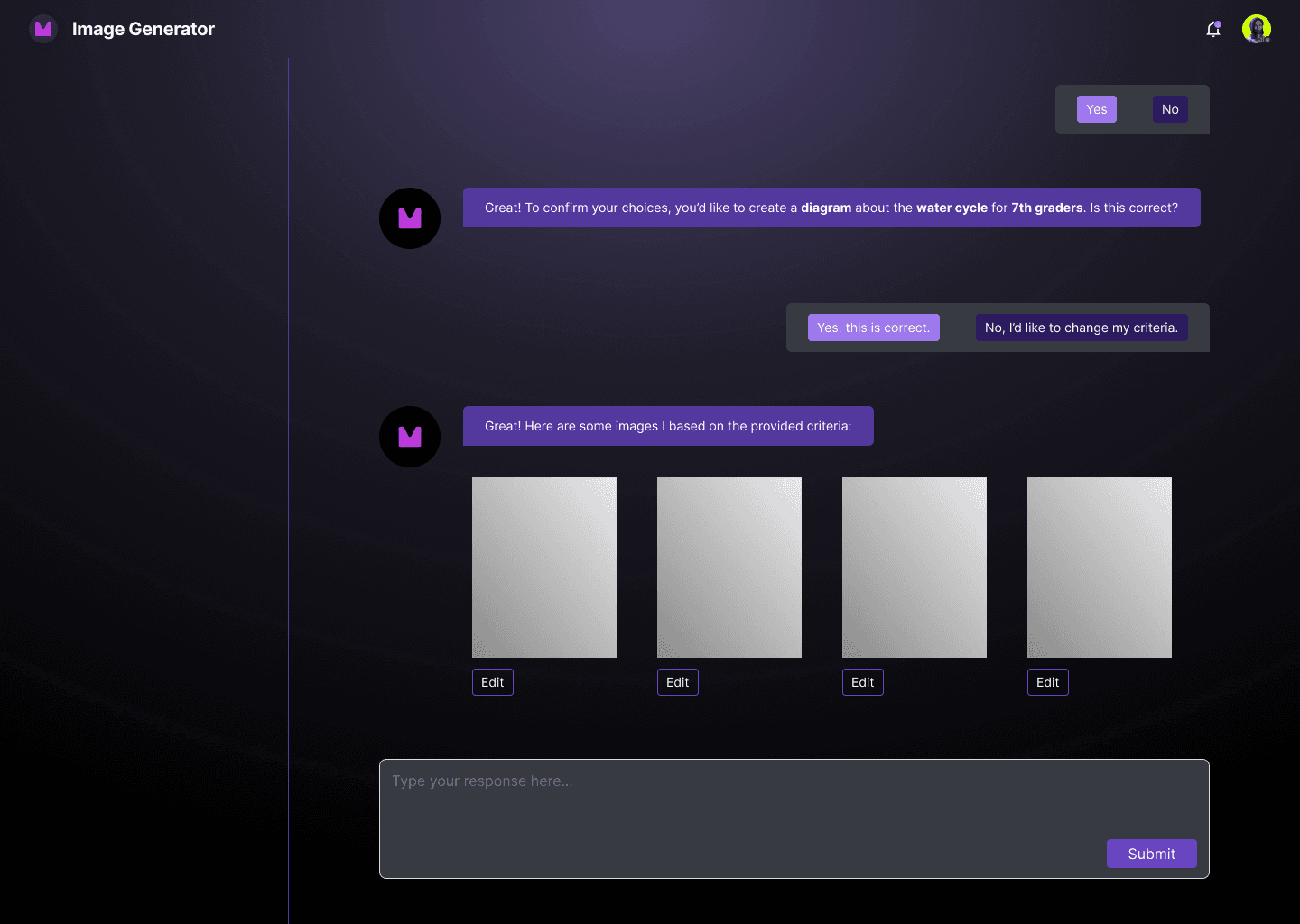
If the system could anticipate likely next steps and surface them as one-tap options, teachers wouldn't need to know what to ask for next. The goal is to make the tool could do that thinking for them.
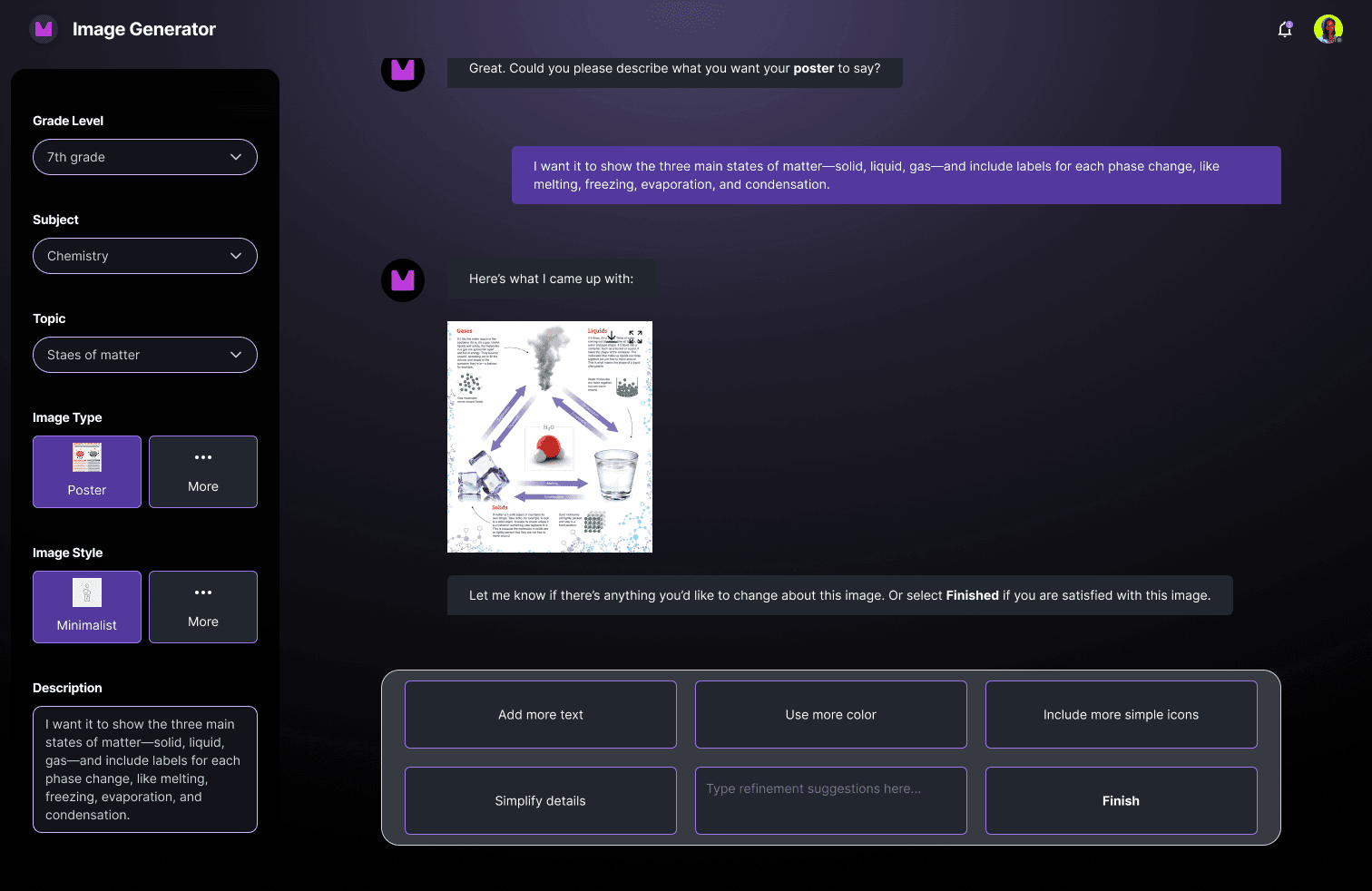
I designed a conversational flow where the AI surfaced contextual refinement suggestions after each generation. If a suggestion was rejected, the system offered alternatives rather than leaving the user at a dead end.
What I learned
Final Design
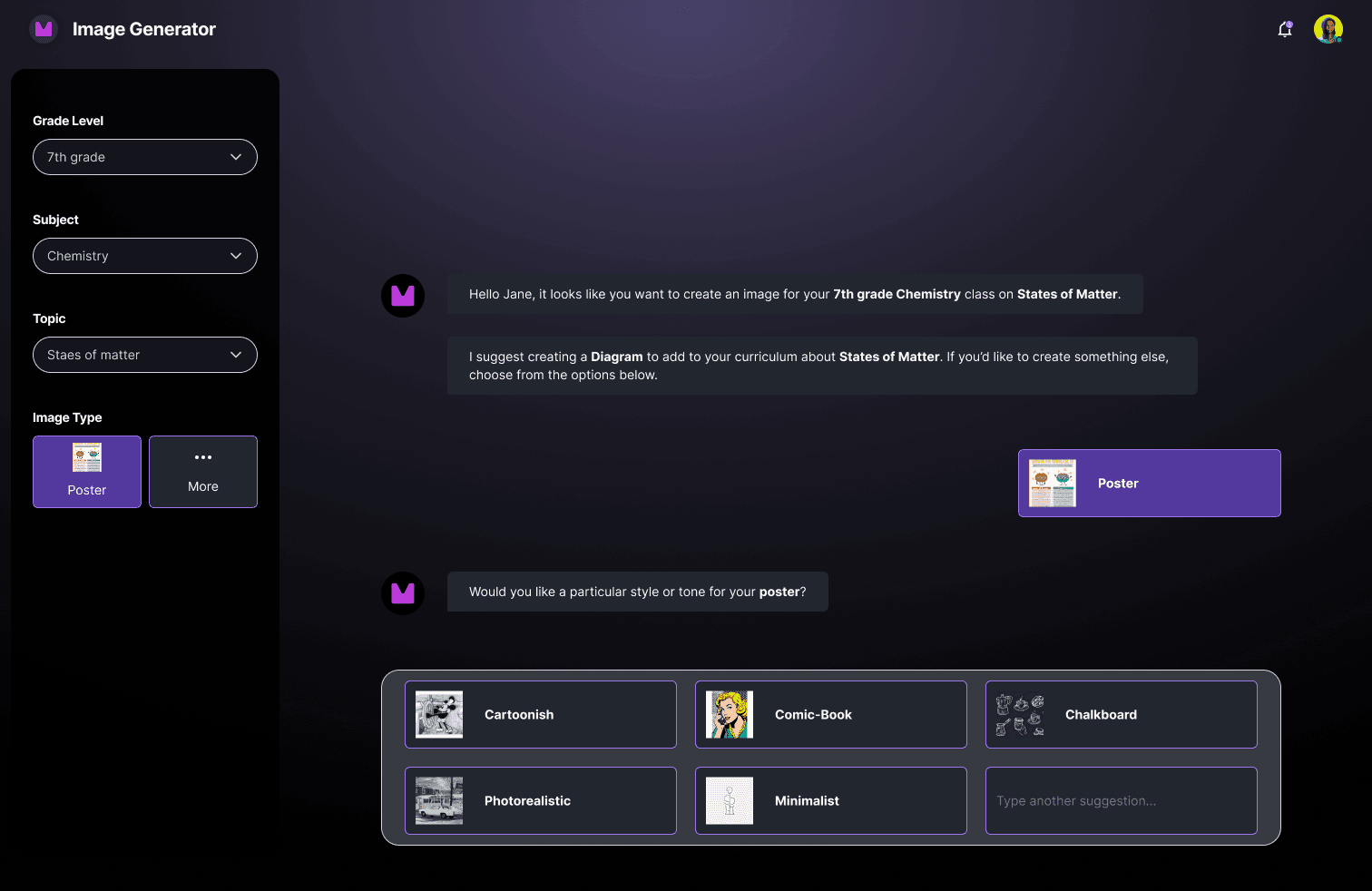
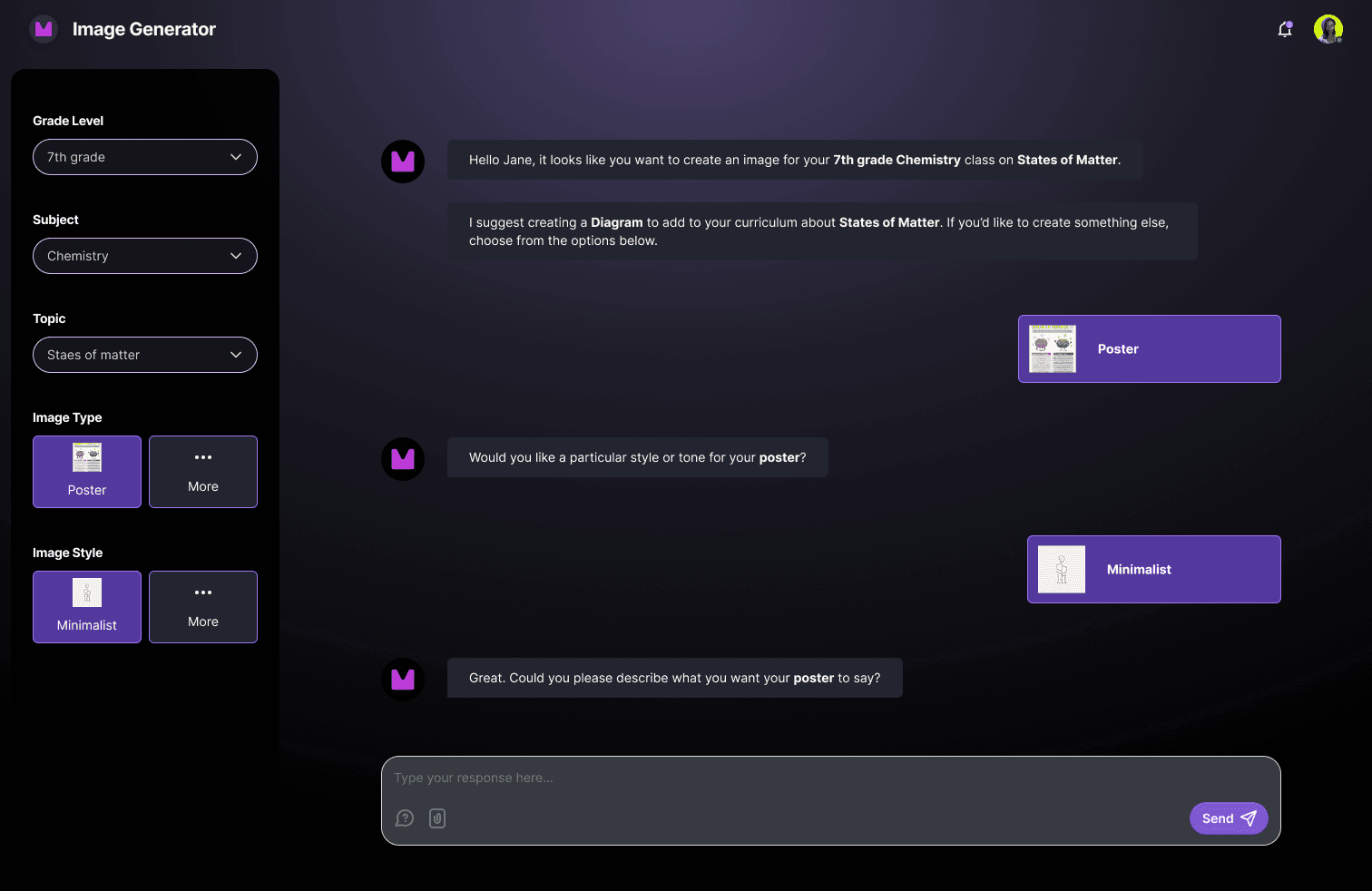
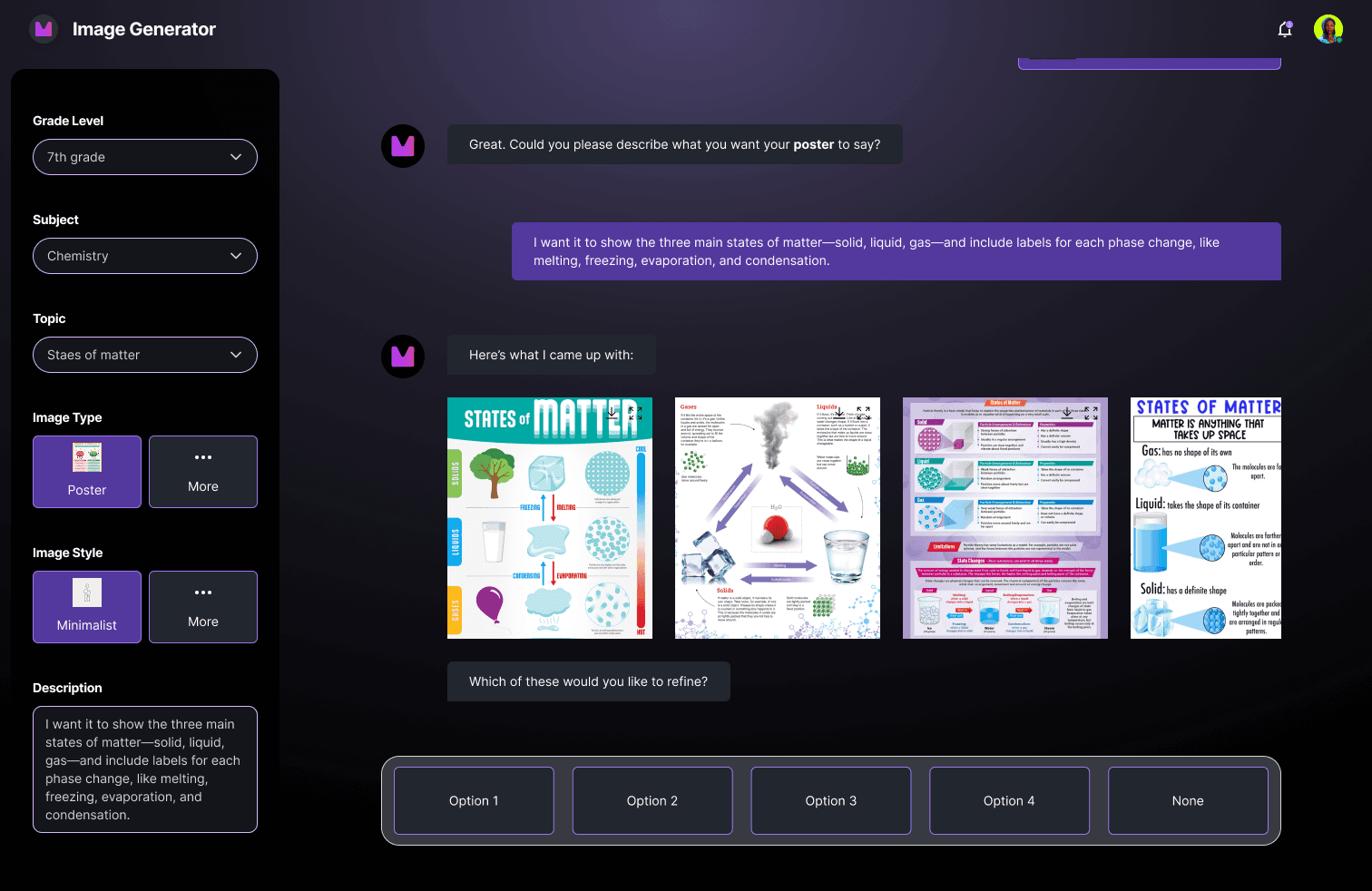
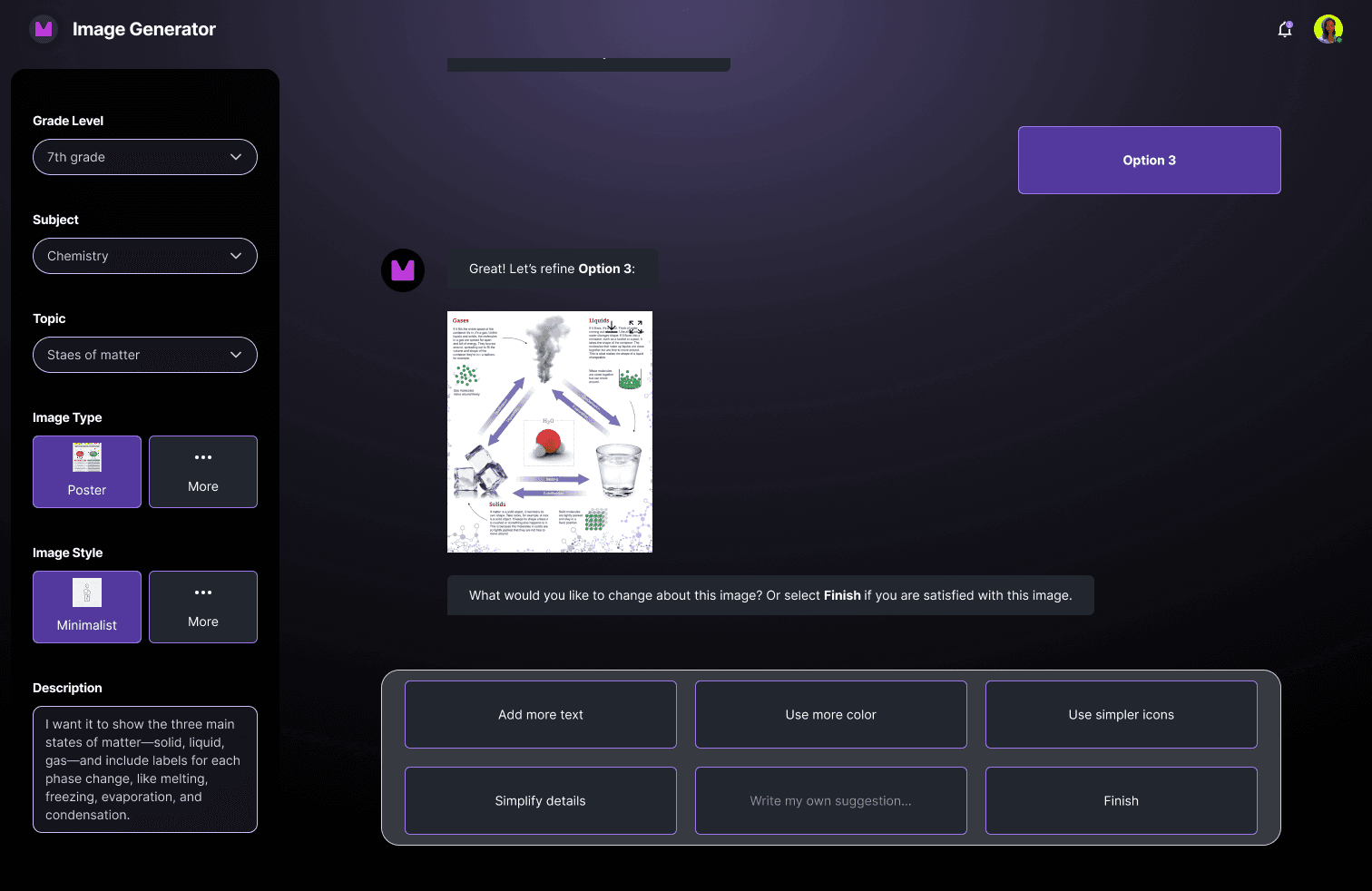
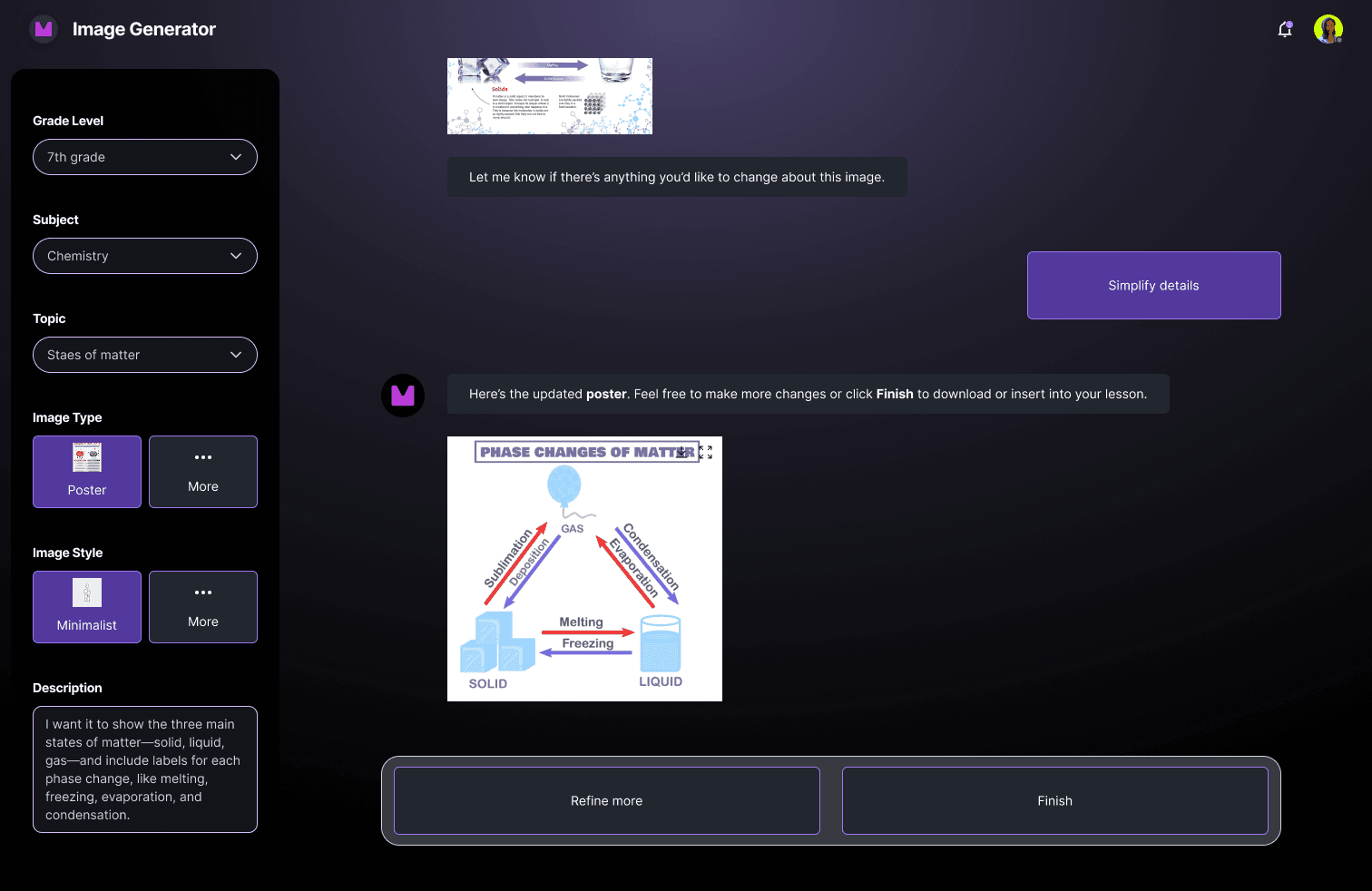
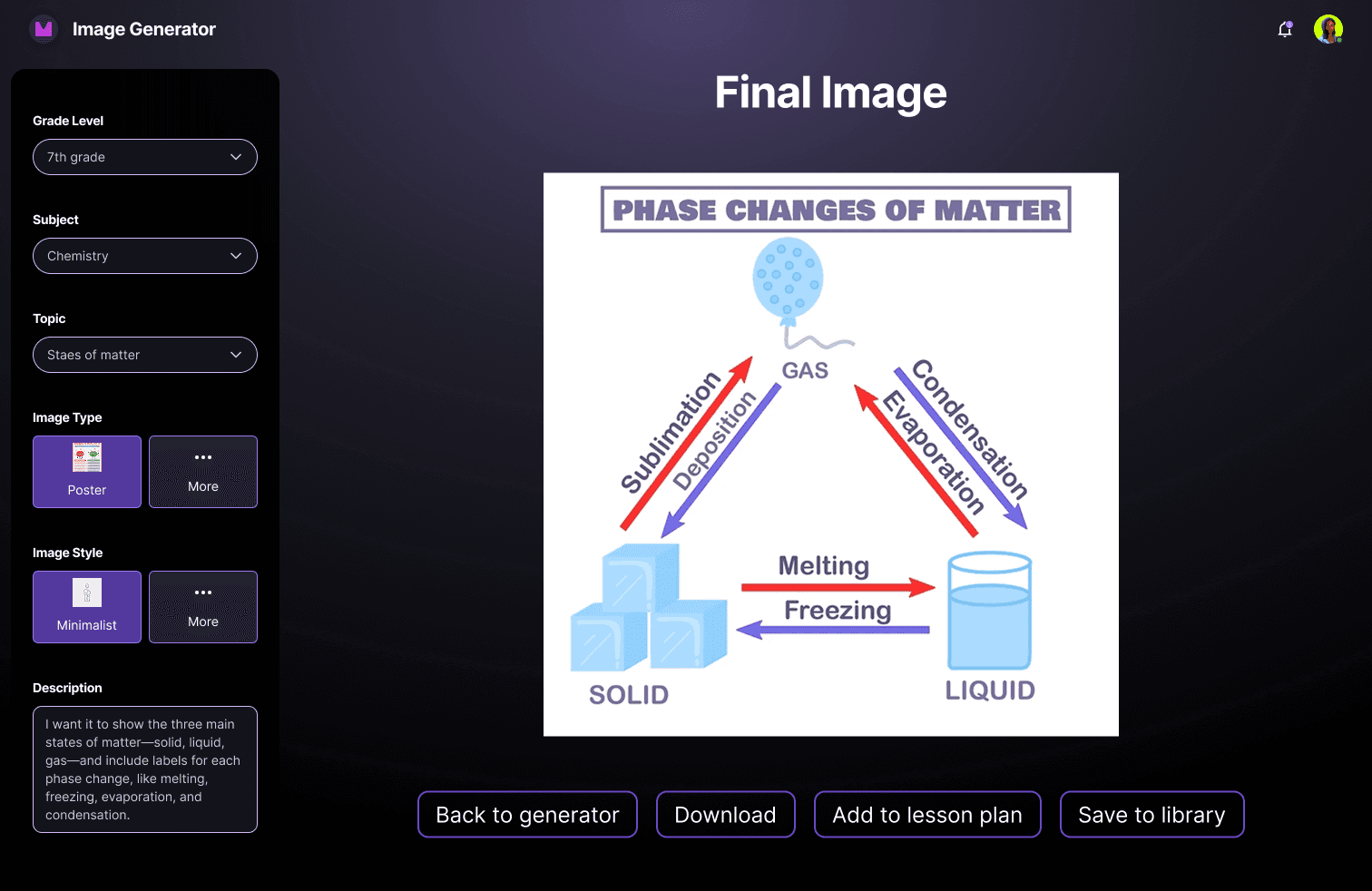
The iteration process taught me two things: structured inputs reduced cognitive load at the start and anticipatory suggestions reduced it during refinement. The final design brought both together into a single, unified experience.
The core change
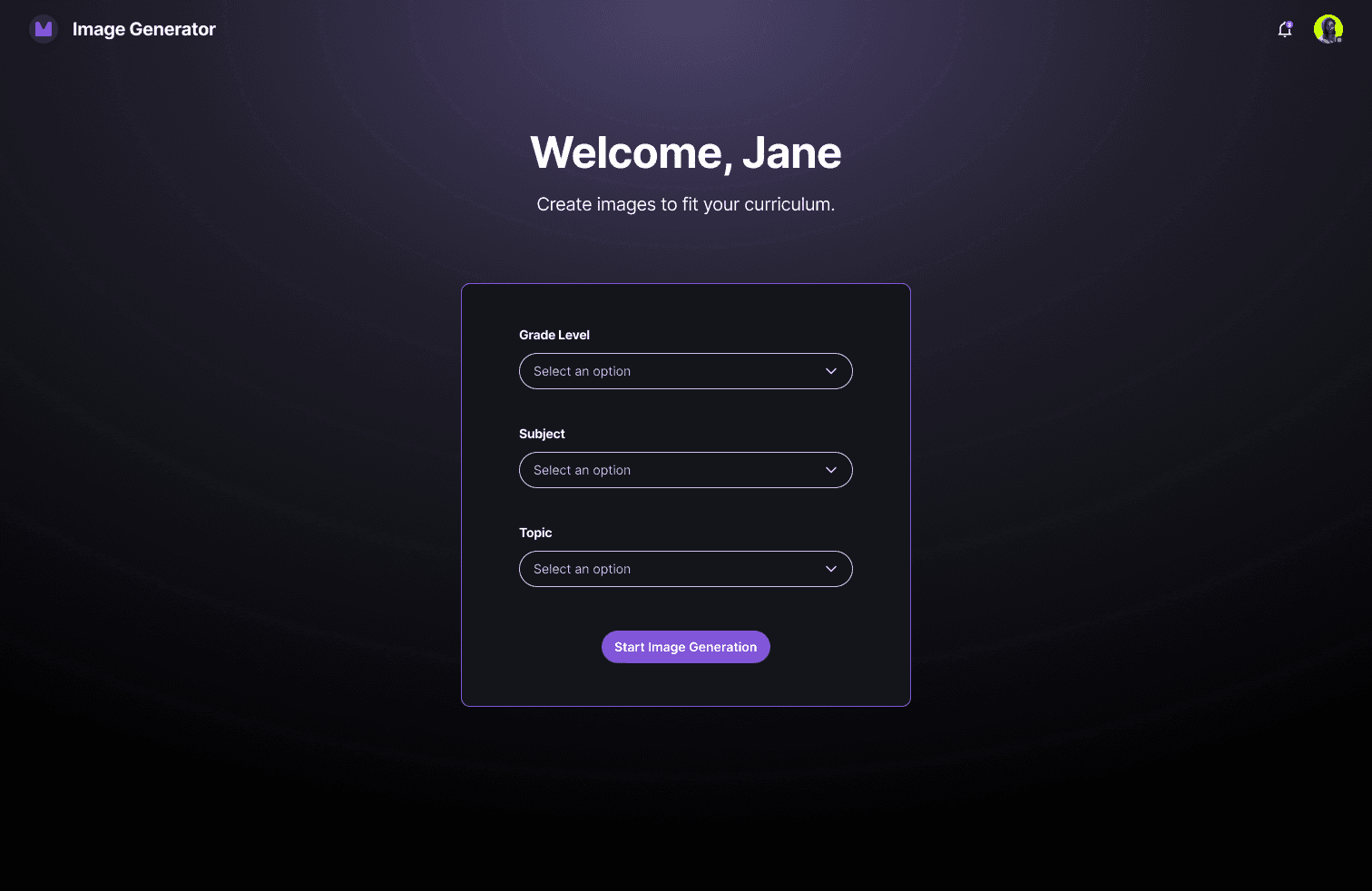
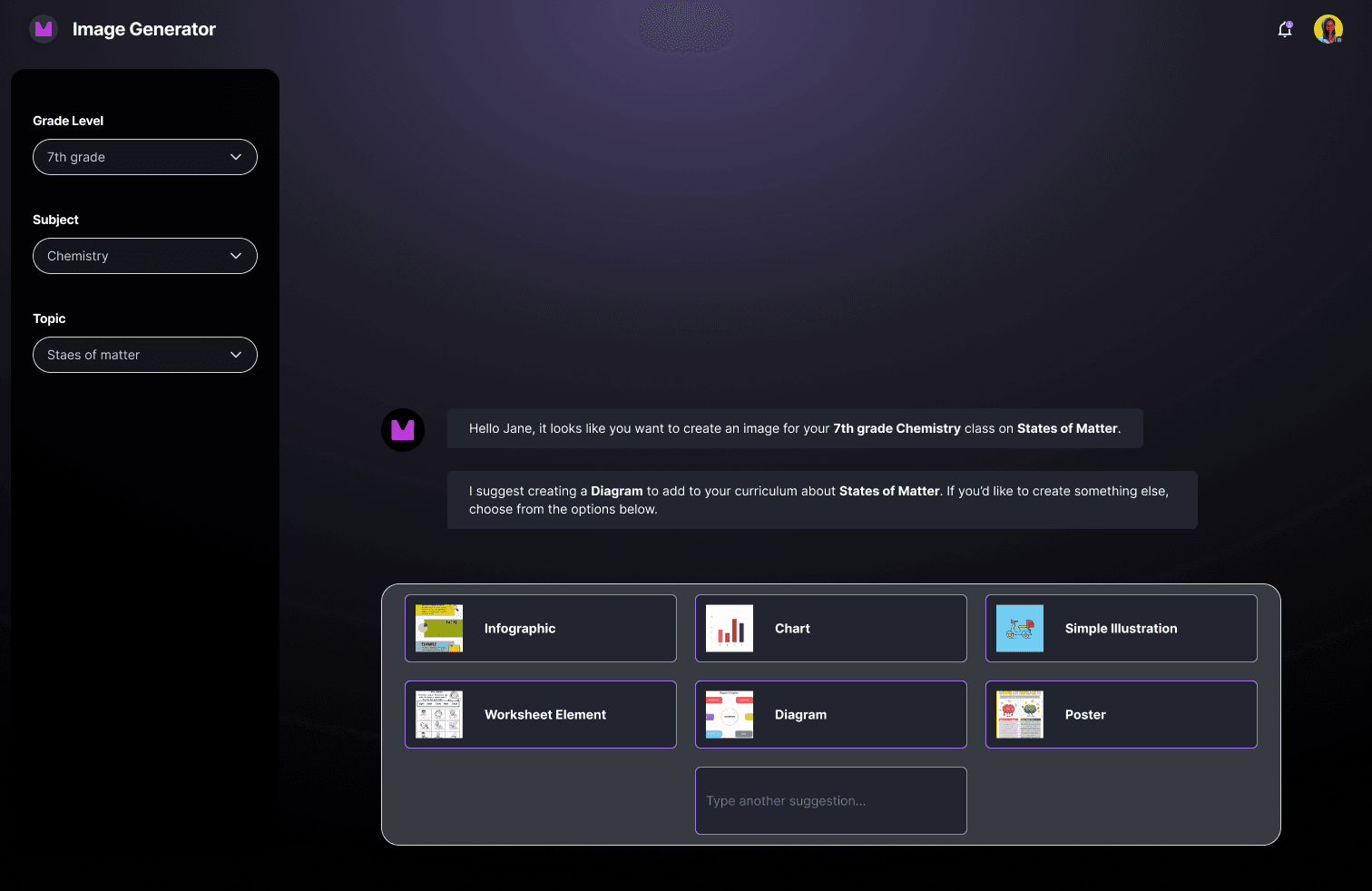
The final design front-loads Grade, Subject, and Learning Topic directly into the main interface, giving the AI what it needs to generate relevant suggestions from the first interaction. Additionally, the text input field, previously underused, becomes the active surface where suggestions appear, selections are confirmed, and refinements happen.




What this eliminated
Teachers no longer face a blank prompt field. They no longer restart from scratch when a result misses. And they no longer move through multiple screens to accomplish what should be a single, fluid task.
Reflection
This was my first project working within an AI product context, and the biggest shift it required wasn't visual, it was conceptual. Designing for a generative interface meant accounting for uncertainty (i.e., "What happens when the output misses?", "What does the teacher do next?"). The edge cases that emerged throughout this project drove more of my decisions than the happy path did.
While the project didn't reach launch due to organizational changes at Reality AI, the value of this work sits in the process. Working from a PM brief, conducting my own literature review, running competitive analysis, and iterating through stakeholder feedback gave me a structured foundation for tackling AI-native design problems that I'll continue to carry into any future project in this space.
The natural next step would be user testing, specifically whether the suggestion chips reduce prompting burden or introduce a different kind of decision fatigue. I'd also want to explore how the tool performs across grade levels, since a kindergarten teacher and a high school teacher have very different needs.