Scalable Booking Platform
The project
Designed and implemented a 1:1 coaching booking system built into Asian Student Achievement's (ASA) WordPress site, replacing a fragmented manual intake process for 500+ clients, volunteer coaches, and the Operations team.
My role
Sole UX Designer responsible for research, platform selection, testing, and implementation.
Project duration
1 year
Tools
Figma
WordPress
Why this matters
Within my first month as ASA's sole UX Designer, the CEO flagged a critical gap: no reliable coaching intake process existed. Their existing Google Forms booking process was a slow, fragmented chain that created a bottleneck in one of ASA's core services.
With a new WordPress site and a potential partnership funding opportunity tied to the coaching program, the CEO wanted a professional, integrated solution that could last long after my internship.
What ASA needs
A booking system integrated into their WordPress site that would:
Offload scheduling from the Operations team through automation
Give students a clear, self-service way to find and book a coaching session
Give coaches autonomy to manage their own availability and sessions
Scale sustainably with the growth of ASA's coaching program
The solution
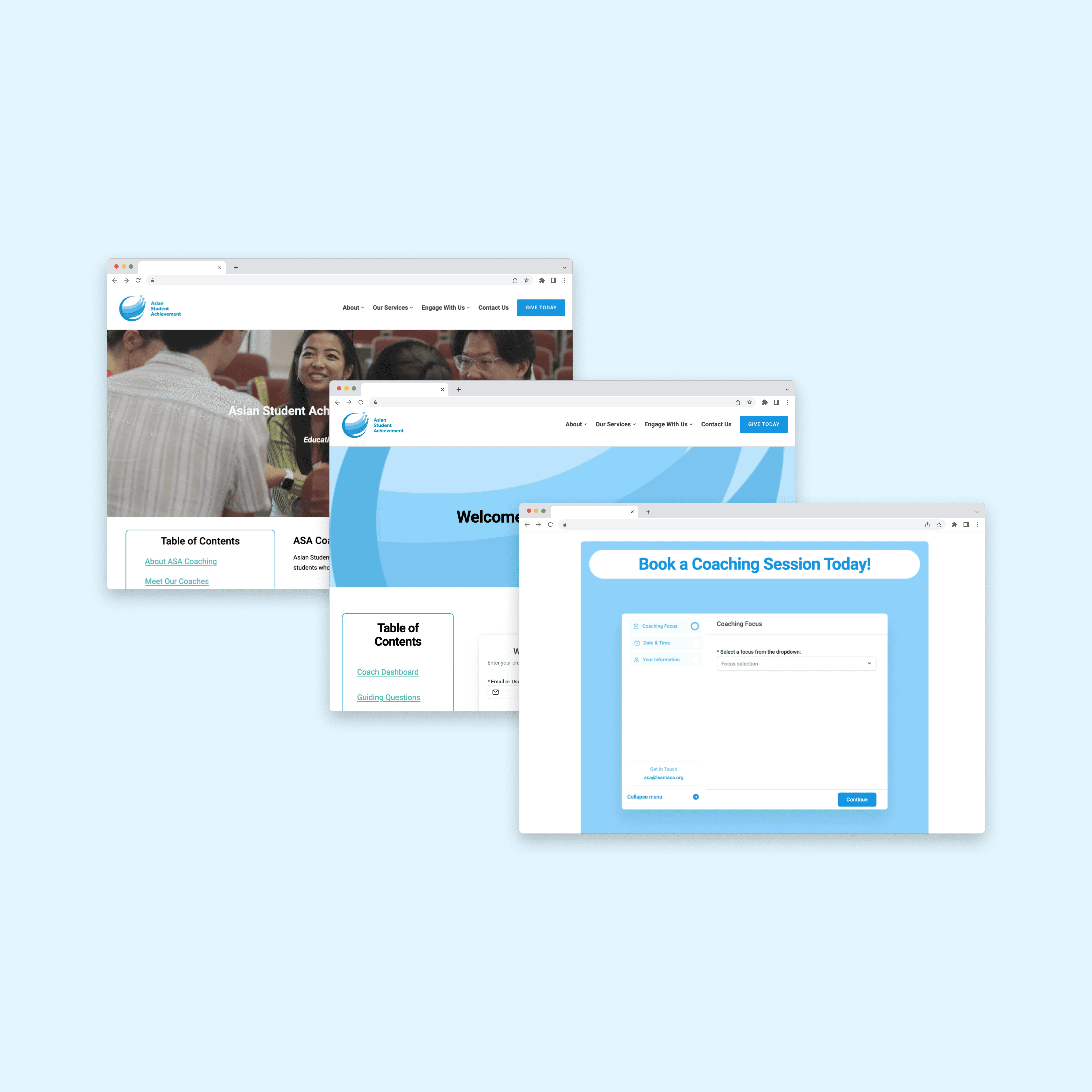
I designed and built three interconnected pages that together replaced ASA's manual intake process with a self-sustaining coaching system.
To ensure the system outlived my internship, I also created two SOPs in collaboration with the Operations Manager: one for the Operations team covering page management and coach onboarding, and one for volunteer coaches with key references and portal guidance.
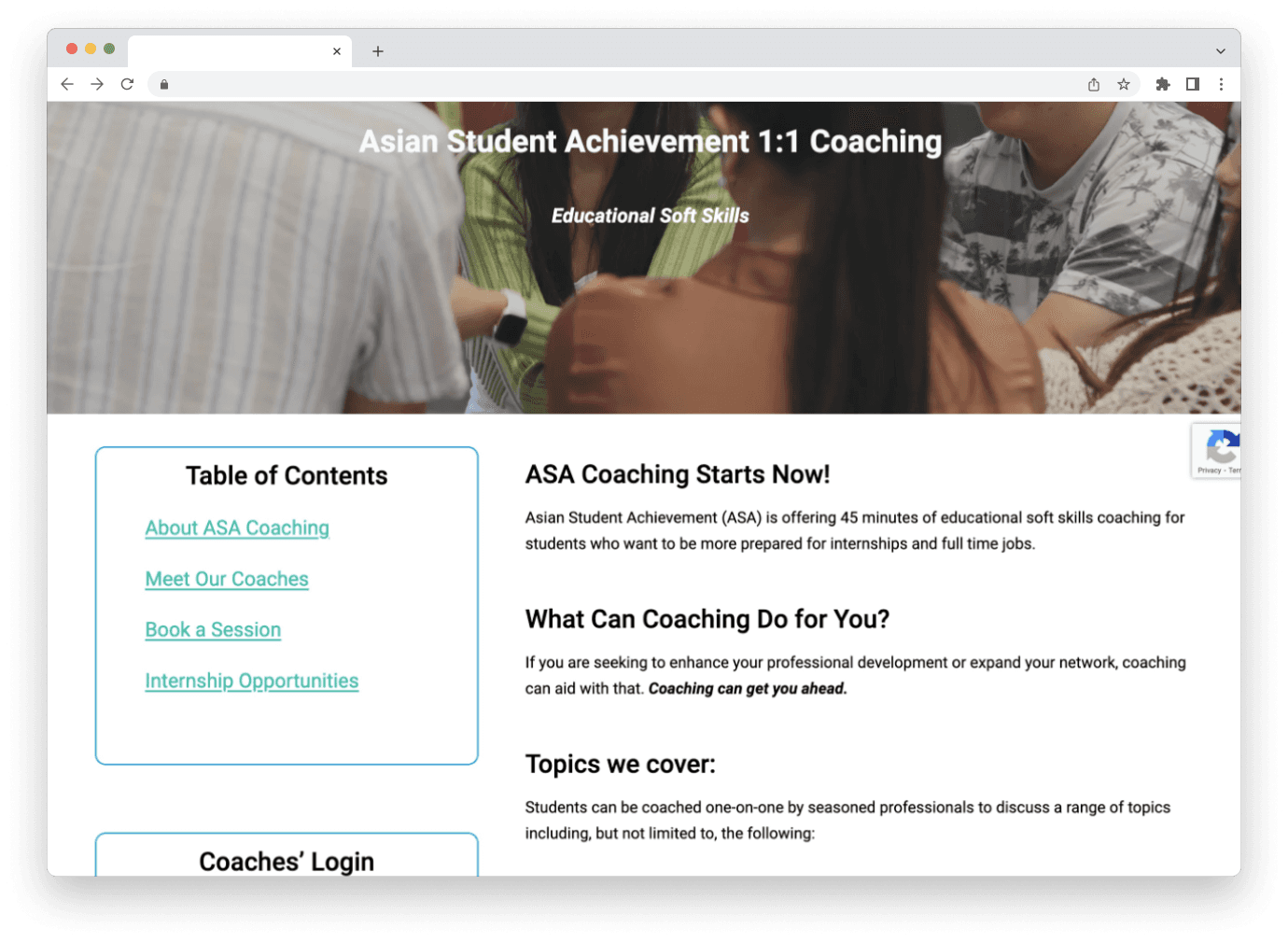
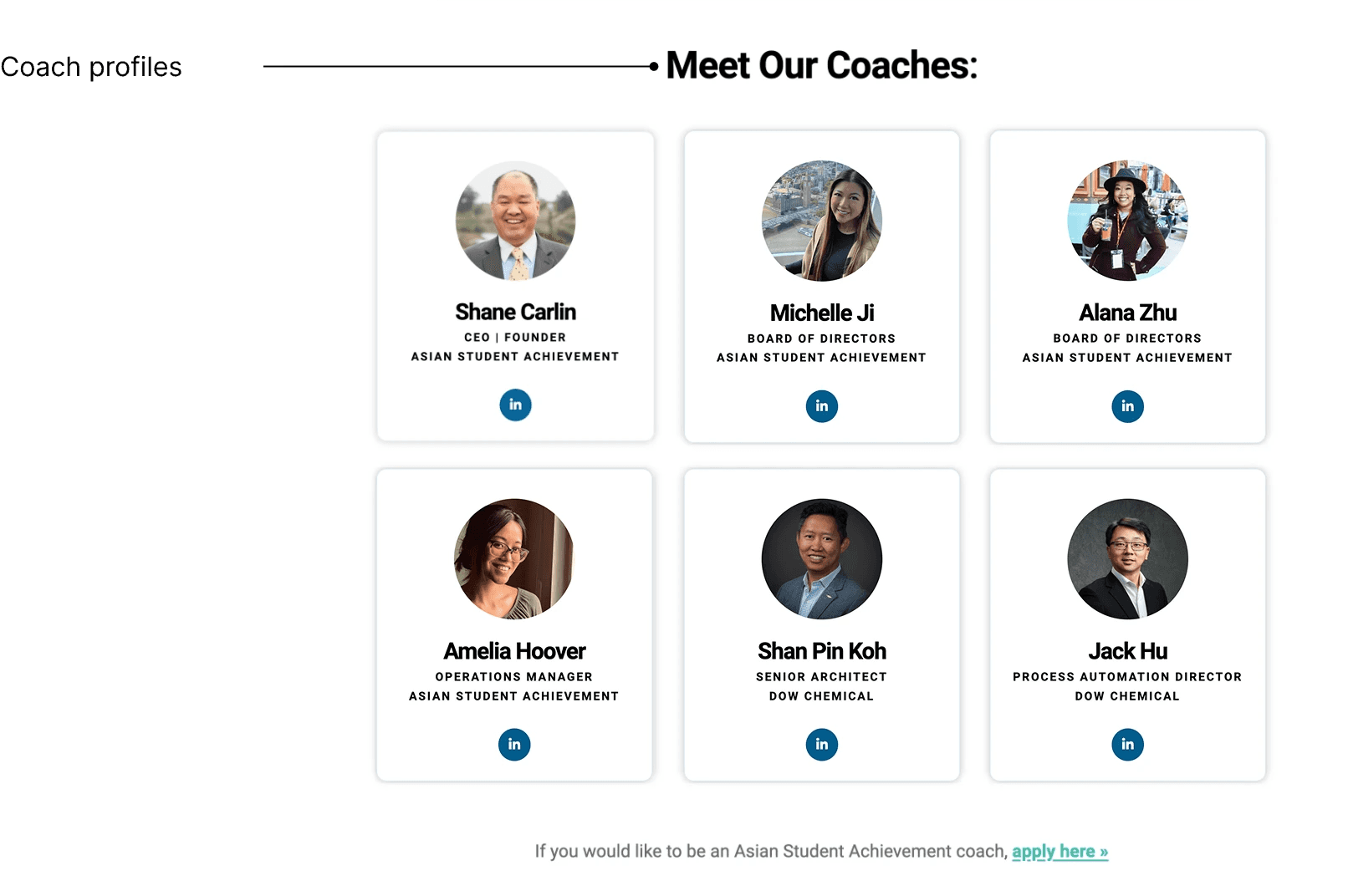
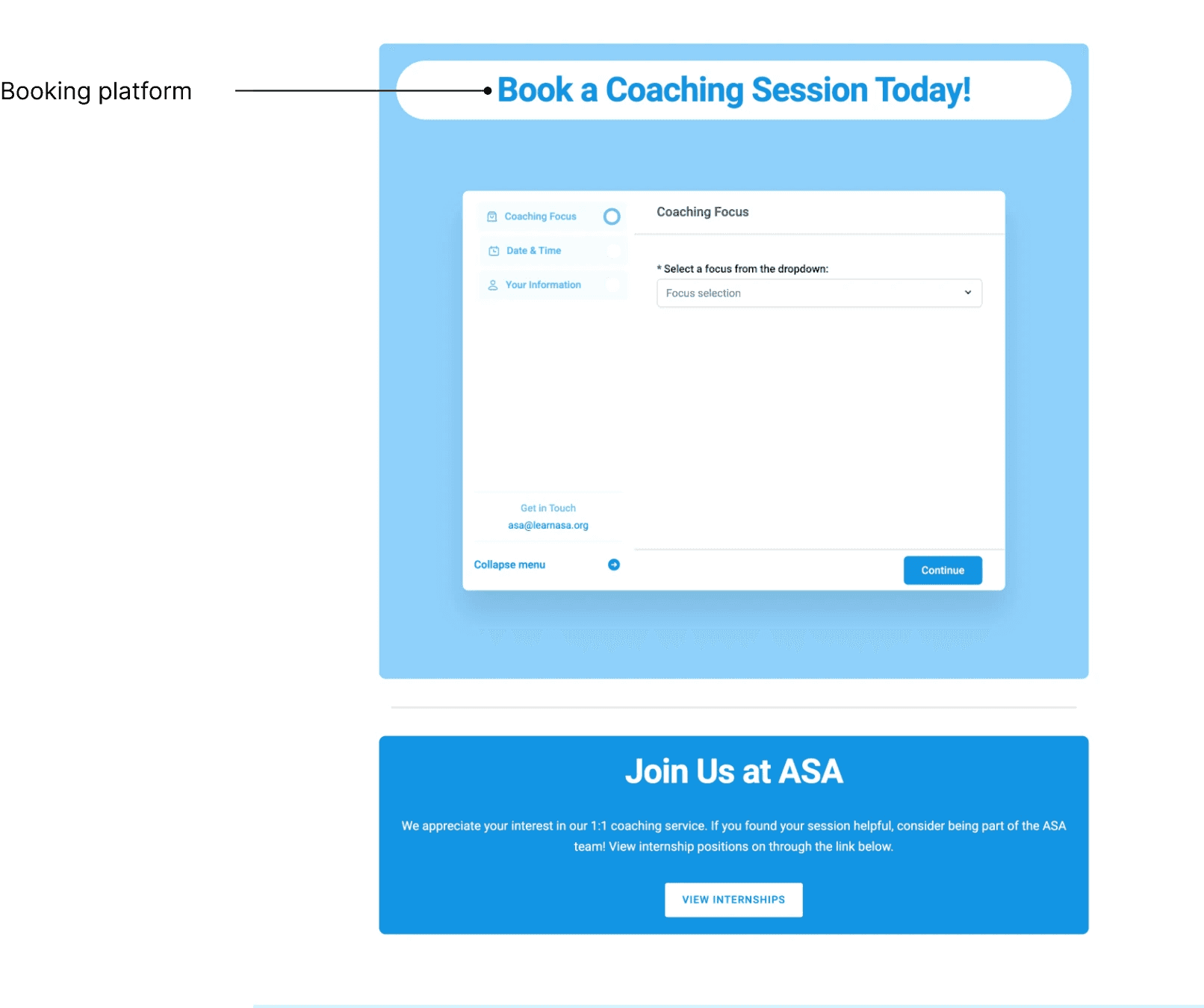
Coaching landing page: A brand new WordPress page that introduced ASA's coaching service, outlined coaching topics, showcased mentor profiles, and funneled students directly into booking.
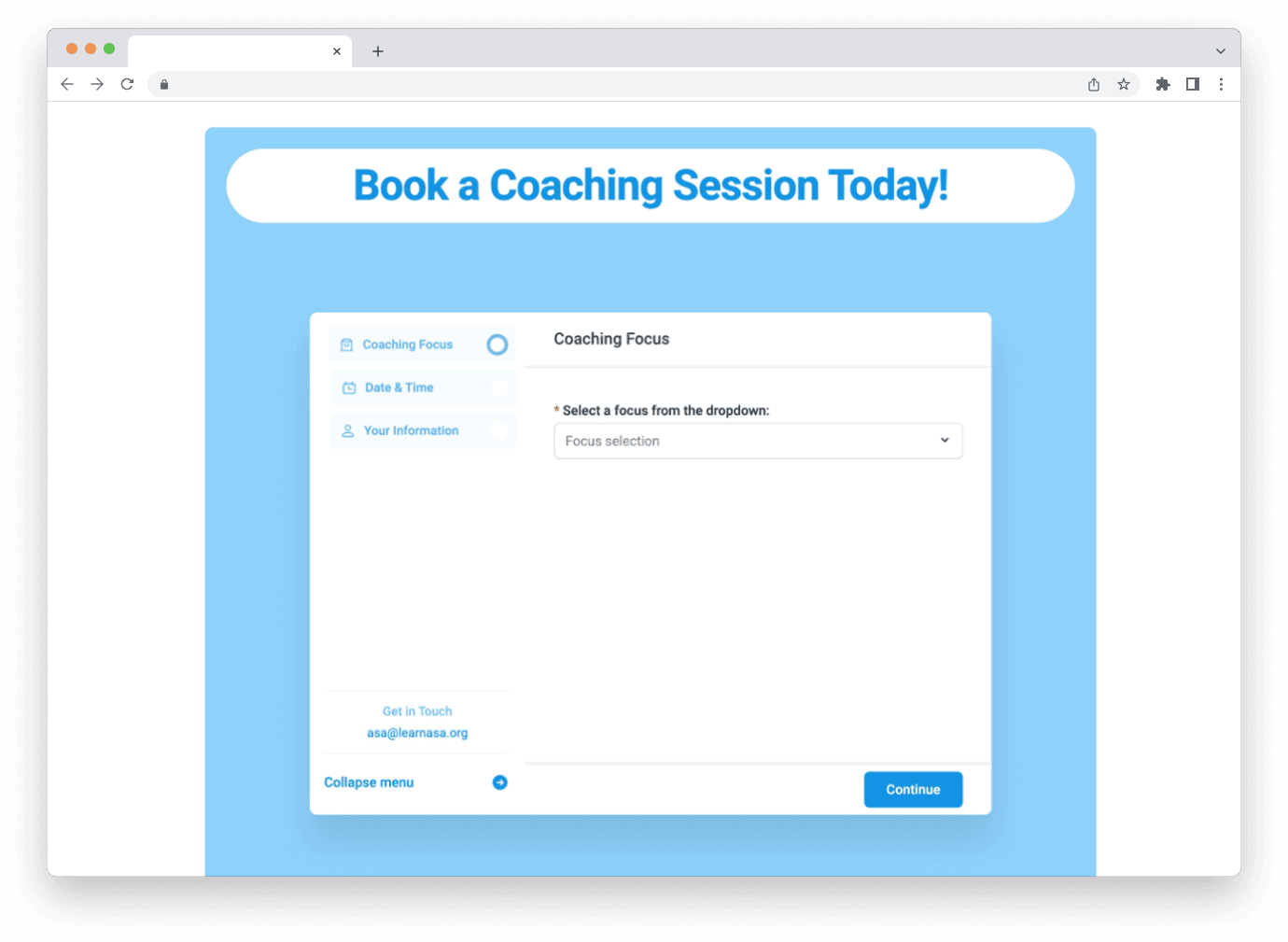
Client booking: A step-by-step intake form that collected everything coaches needed upfront: coaching topic, preferred date and time, basic contact info, and resume.
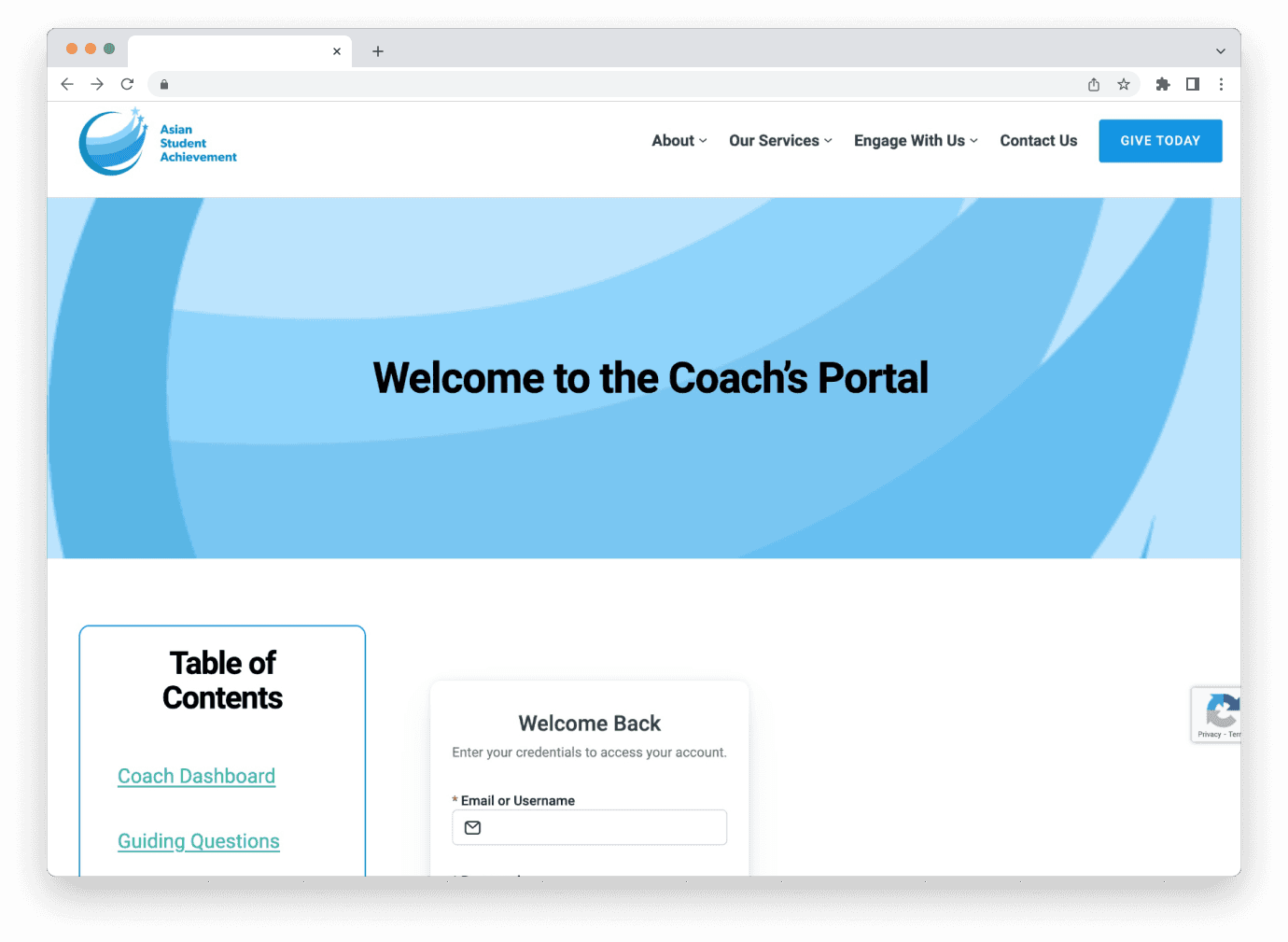
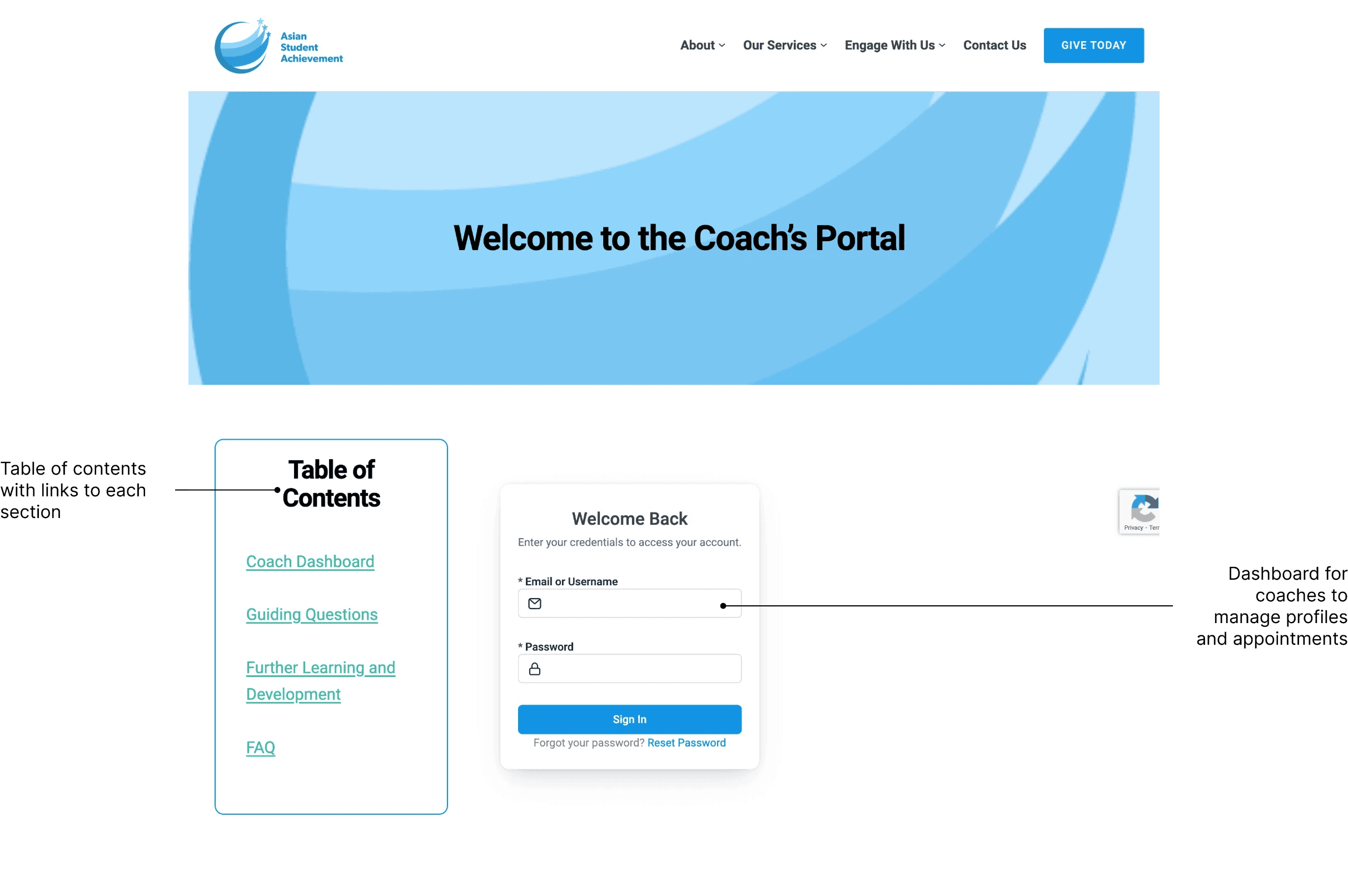
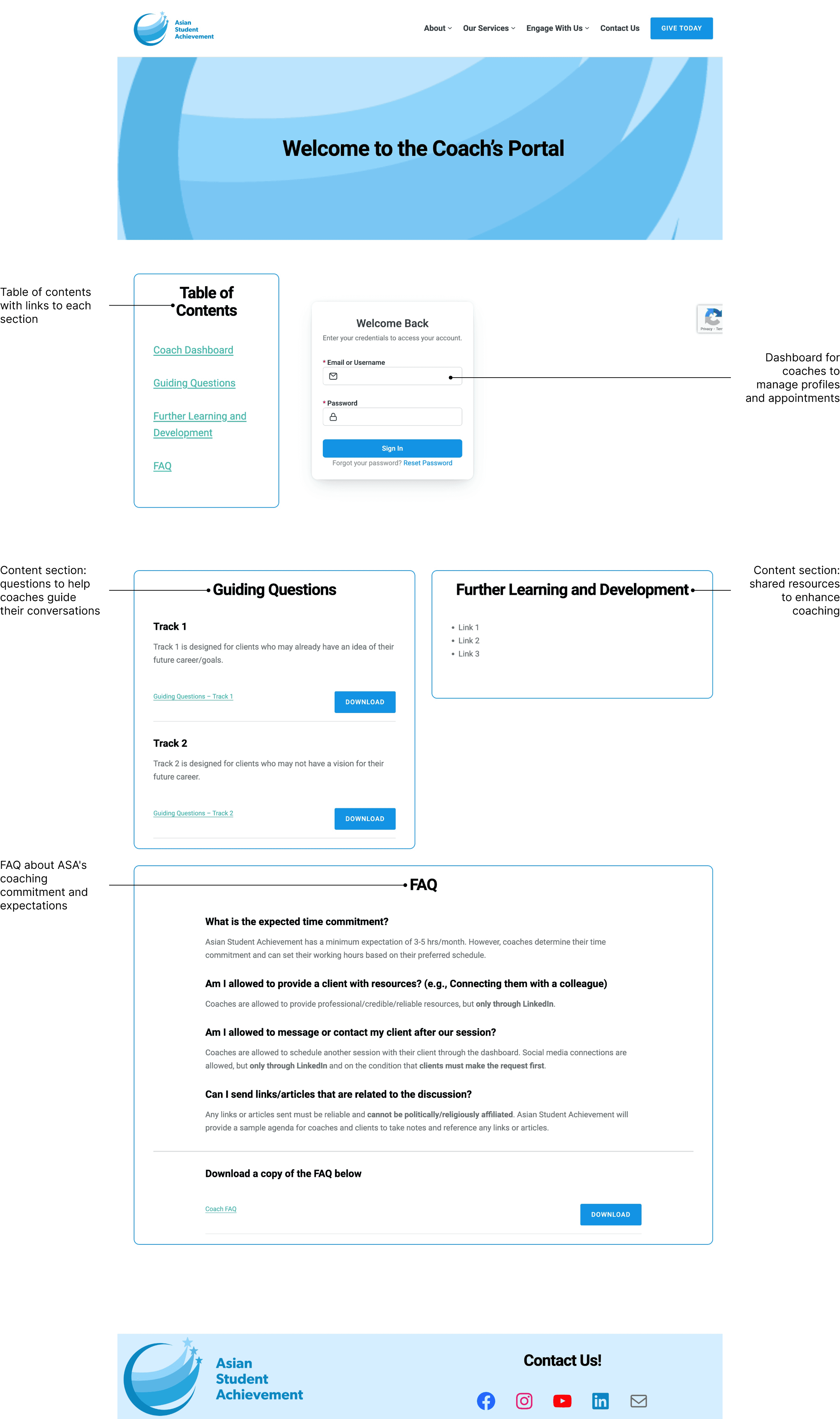
Coach portal: A password-protected hub where volunteer coaches managed availability, approved sessions, and defined their areas of expertise.
Research & Strategy
Understanding business goals
I did a deep dive with ASA's CEO to discuss the project and align on four goals that would shape every design and platform decision:
Self-service on both sides: Students needed a clearer path to book sessions, and coaches needed a portal to manage their schedules and bookings without relying on ASA staff
Offload Operations overhead: Automate the intake and scheduling process so the Operations manager was no longer the bottleneck between students and coaches
WordPress compatibility: With ASA's WordPress domain less than two years old, the solution had to fit the existing site so staff could maintain it without heavy technical support
Built to last: The system had to be sustainable after my internship ended, which shaped every decision from platform selection to the SOPs I built alongside it
Evaluating technical solutions
To find the right platform, I researched WordPress-compatible booking plugins and narrowed the field to three top options: Amelia, WP Booking Calendar, and Simply Schedule. I evaluated each against ASA's core needs: file upload support for resume submissions, manual approval workflows for coach review, dual-audience functionality for clients and coaches, and long-term affordability.
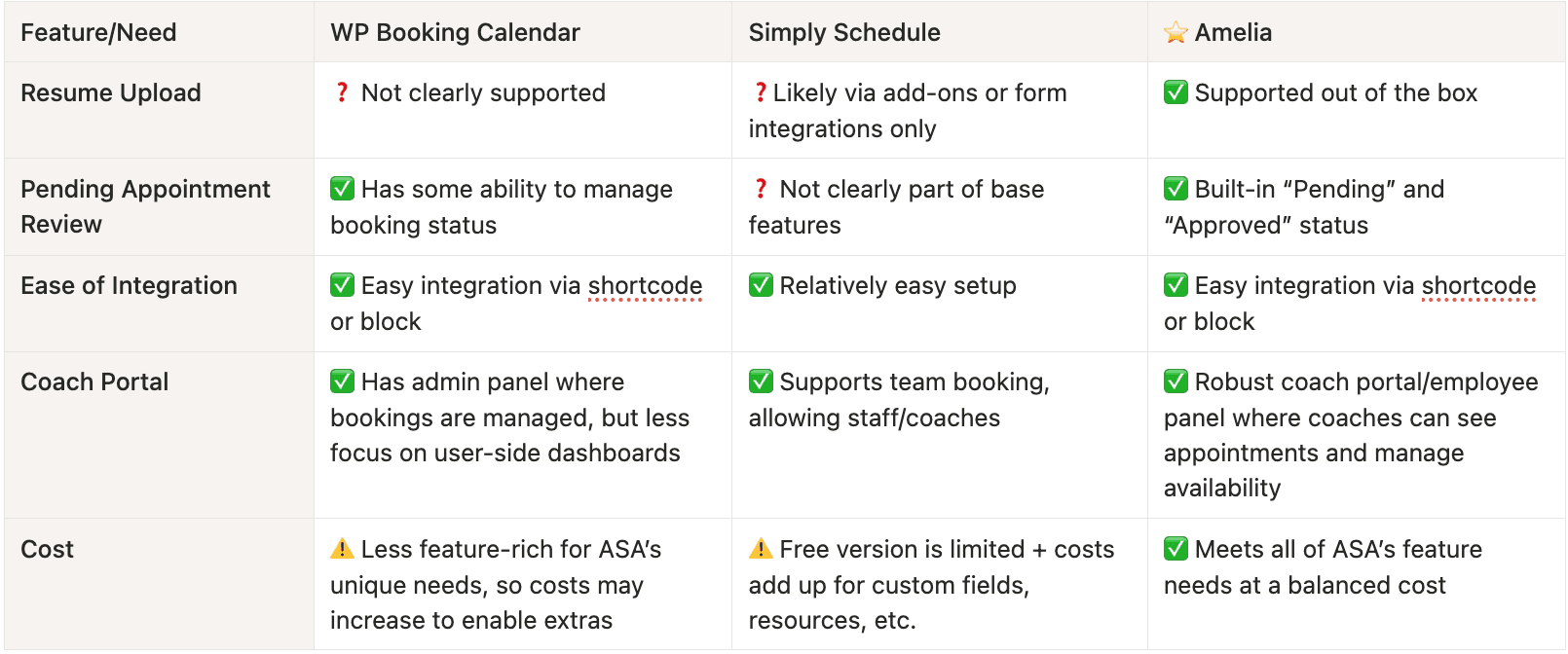
Comparison table
Why we chose Amelia
✔️ Only option with built-in file upload support for resume submission
✔️ Robust pending/approval workflow out of the box
✔️ Designed for dual-audience use without extra plugins or custom development
✔️ Best value for the full feature set ASA needs
System flow
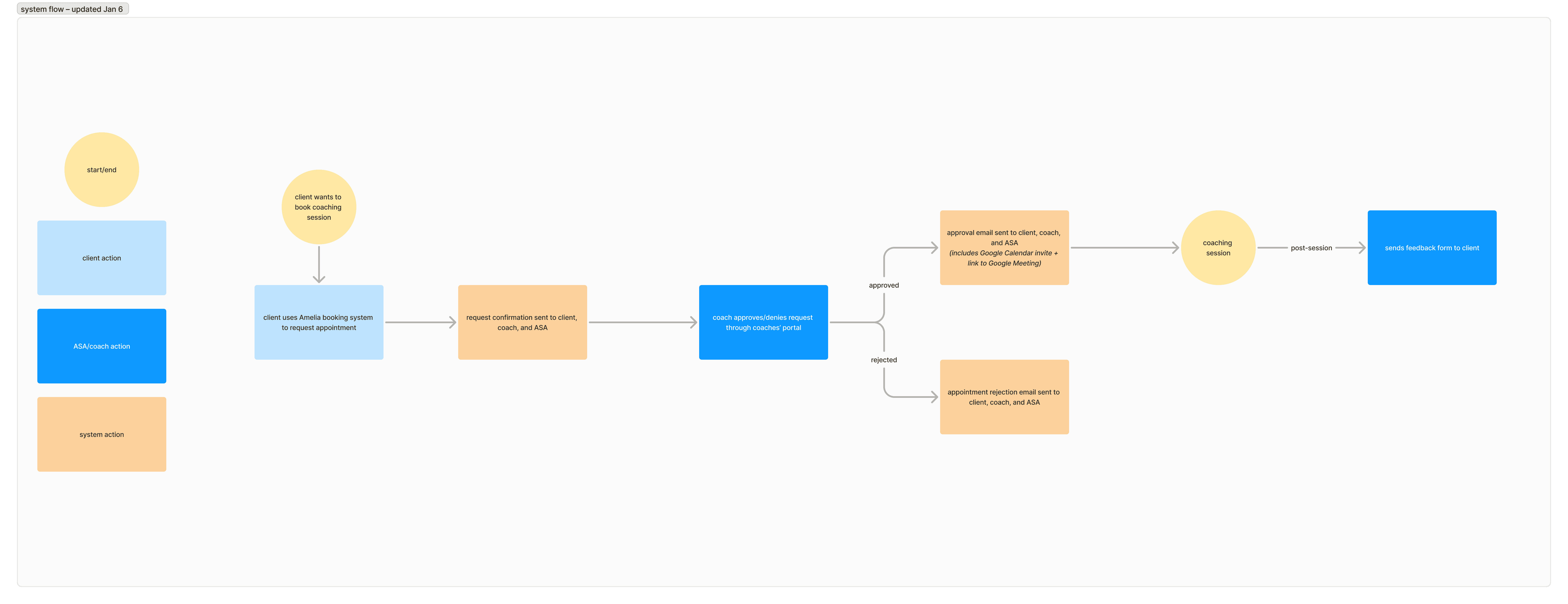
Before moving into design, I mapped the end-to-end system flow to align with ASA's stakeholders on how the process would work and keep myself grounded throughout the build. These diagrams clarified how the client, coach, and ASA staff touchpoints connected.
Exploration
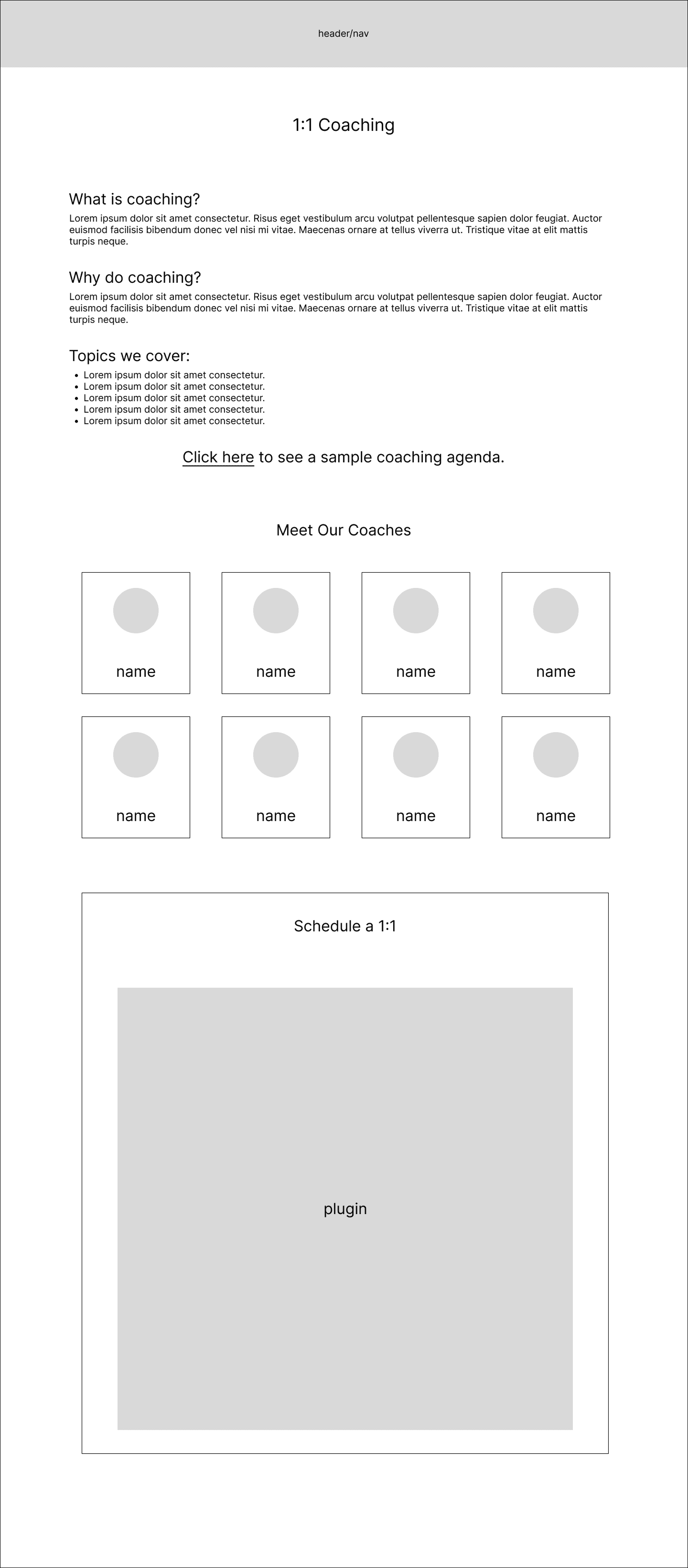
Starting with low-fidelity wireframes to establish structure, I moved directly into WordPress to iterate on layout, UI, and plugin functionality in context. Weekly check-ins with the CEO and Operations Manager kept feedback focused and the build moving forward.
Landing page
The student-facing entry point to ASA's coaching program designed to inform clients about the services and guide them toward booking a session.


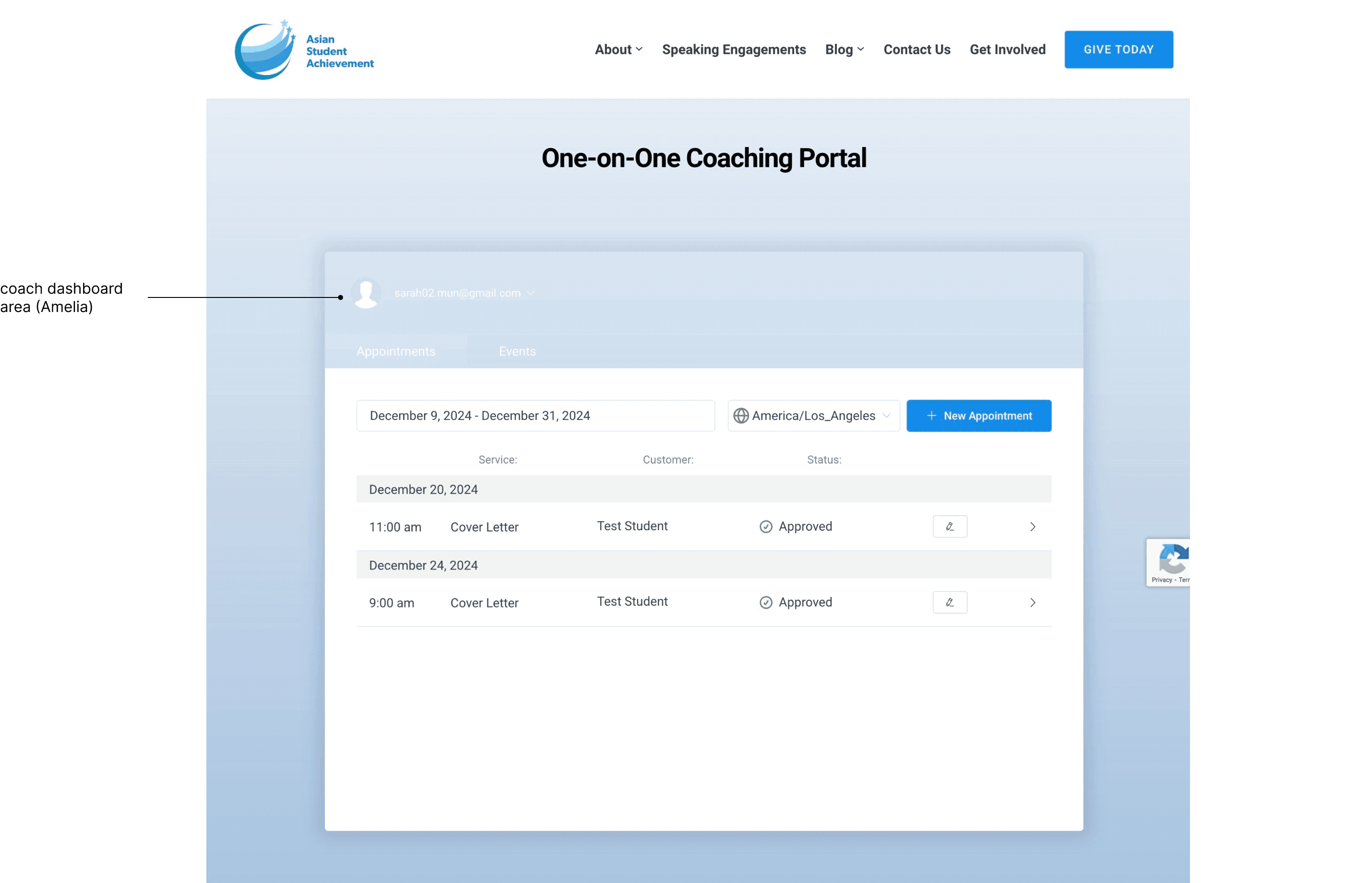
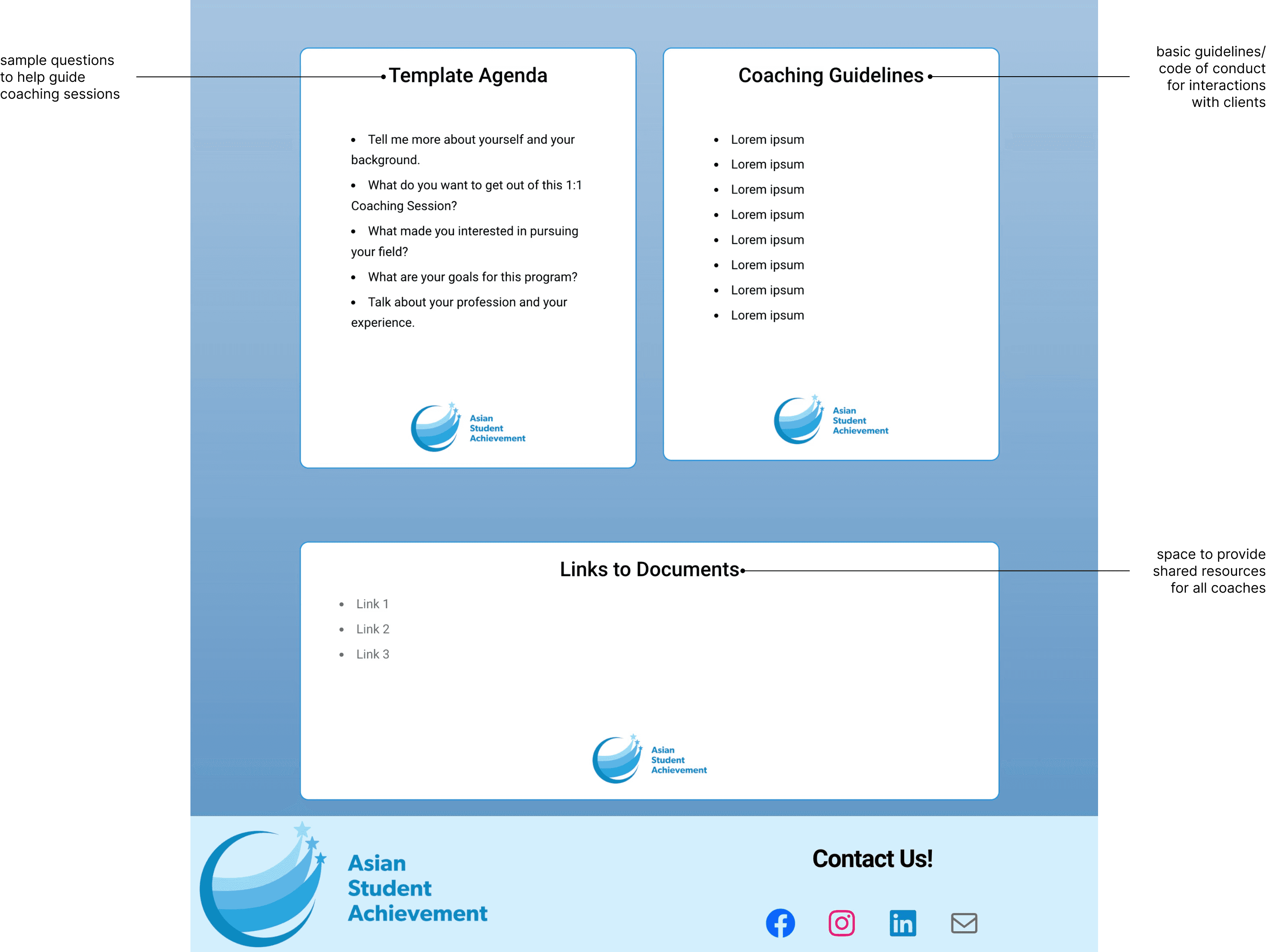
Coaching portal
A password-protected hub for volunteer coaches to manage availability, sessions, and resources independently without relying on ASA staff.


Usability Testing
Before testing, I developed a usability testing plan and aligned with the CEO and Operations Manager on testing procedure and goals. The Operations Manager and I then recruited 5 ASA interns as client testers and 4 board members as coach testers, each completing test flows tailored to their role.
Learnings from clients
✅ Booking was straightforward and easy to complete
✅ Email confirmations were clear and reliable
❌ Several coaching topic names caused confusion and discouraged bookings
❌ Users had no immediate confirmation that their cancellation was processed
Learnings from coaches
✅ Automated emails made onboarding and appointment access frictionless
❌ The portal's default dashboard view often hid upcoming appointments made outside the visible date range
❌ Some navigation took longer than expected, which was a concern given the portal needed to be fully autonomous
How testing shaped iteration
Built a cancellation confirmation page
to give users explicit feedback that their session was cancelled.
Final Design & Build
The goal: Get coaching intake off the Operations team's plate.
The solution: A self-sustaining booking system built into ASA's WordPress site, designed for two distinct user groups.
The result: An estimated 2-4 hours saved per intake cycle and a 20% increase in session conversions.

Landing page
Structured to inform first, then convert.
A table of contents at the top gave clients quick access to the program overview, coaching topics, and coach profiles before reaching the booking intake form at the bottom of the page.



Coach's portal
Built for immediate, independent access.
After a password protection layer, coaches landed on the Amelia login panel to manage their schedule, availability, and session approvals. Below that, shared resources including session agendas and learning materials gave coaches everything they needed to run sessions indpendently.


Impact
2-4 hours saved per intake cycle
Prior to this, the Operations Manager had to manually coordinate between client requests and staff calendars to complete a booking. Automating this process gave the Operations team time to focus on higher-impact work.
20% increase in session conversions
A clearer, more accessible booking experience directly translated to more clients completing the booking process and getting matched with a coach.
8 new coaches onboarded
The portal's self-management capabilities made it feasible to scale the coaching roster without adding operational overhead. ASA was able to bring on coaches from new partner organizations with a system built to support them.
Reflection
This project pushed me to think differently than previous UX projects I've worked on. Rather than focusing on layouts and screens, I had to zoom out and design a system that worked for clients, coaches, and the Operations team simultaneously.
The biggest shift came from my weekly sync-ups with the CEO. Early on, I found myself gravitating toward the client-facing experience, but those meetings reminded me that a well-designed booking flow meant nothing if the system couldn't be managed independently after my internship ended. Balancing both perspectives forced me to evaluate every decision twice: does this serve the user, and does this serve the organization?
What this project ultimately taught me was that good UX is as much about communication as it is about design. The designs don't matter if you can't bring your stakeholders along with you.